Mobile carriers have spent decades tying phone service to a small plastic card, but that physical requirement is fading fast. An eSIM, short for embedded SIM, stores the same subscriber data a traditional SIM card holds, except the information lives on a chip already soldered inside the phone. Instead of visiting a store or waiting days for a card to arrive by mail, a person scans a QR code or taps through a short setup screen, and a new plan is active within minutes.
This shift matters for anyone who switches carriers often, travels across borders, or splits a personal and a work number on one device. It also reshapes how phone makers design hardware, since removing the SIM tray frees internal space and improves resistance to water and dust. This guide walks through how eSIM technology works in practice, how it stacks up against a physical card, how to set one up, and what to check before making the switch.
Switching Carriers Without Physical Hardware
Changing carriers used to mean a trip to a retail counter, a wait for a replacement card, or an awkward period with no service while a new SIM shipped. With an eSIM, the carrier sends a digital profile instead of a physical object. That profile is downloaded directly onto the phone’s built-in chip, and the old plan can stay active until the new one is confirmed and working.
For someone comparing prices between two providers, this removes the biggest friction point: a device no longer has to sit without service during the transition. This also opens the door to carrying more than one active plan at once. Many current phones support two or more eSIM profiles alongside an optional physical SIM, so a traveler can keep a home number reachable while adding a local data plan abroad, or a freelancer can separate a business line from a personal one without carrying two handsets.
Because the switch happens in software, a person can toggle between stored profiles in a settings menu rather than physically swapping cards with a tool. Carriers have adapted their onboarding flows to match this convenience. A new customer can often complete the whole process from a web browser or an app, confirm identity, and have service running before a courier would have even picked up a mailed card. A few practical points matter here:
- Account verification: Most carriers still confirm identity through a code sent to an existing number or an uploaded ID before releasing an eSIM profile.
- Activation window: A downloaded QR code or activation link often expires after a set number of hours, so it should be used promptly rather than saved for later.
- Device compatibility check: Carriers typically verify the phone’s model and software version automatically before issuing a profile, which prevents a failed activation.
- Number porting timing: Porting an existing number onto a new eSIM plan can take longer than activating a brand-new number, so that detail affects how a switch should be timed.
Because no card changes hands, returning a phone for repair or trade-in requires a separate step: removing or transferring the eSIM profile rather than simply pulling out a tray. That detail is easy to overlook and worth building into any device handoff checklist.
Comparing eSIM and Physical SIM Options
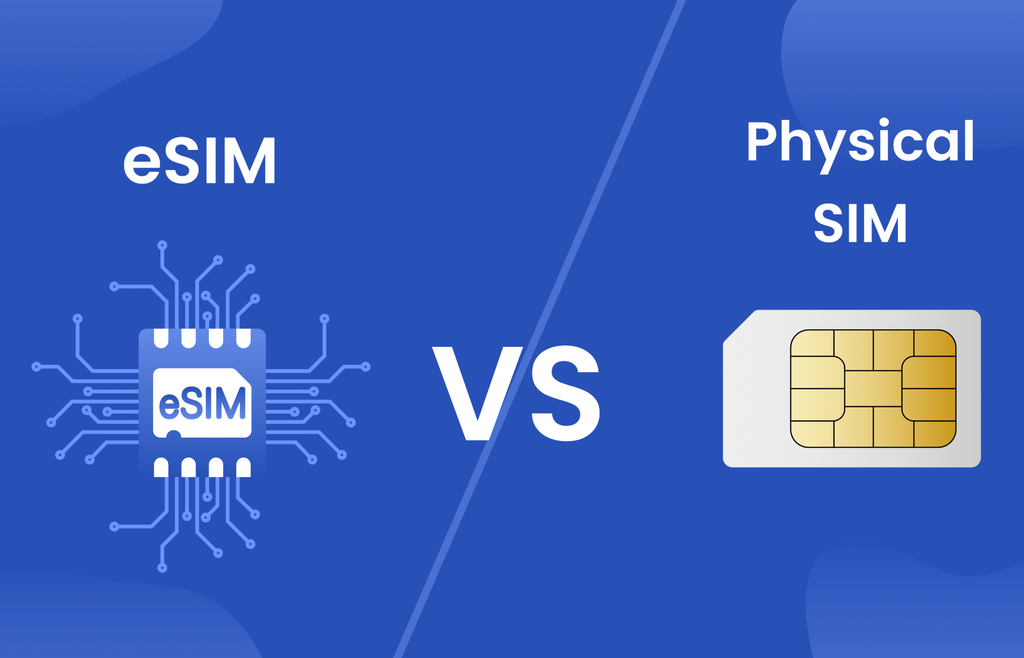
A physical SIM is a removable chip that a person can pull out and move to another phone in seconds, which still appeals to anyone who swaps hardware often or wants a backup card on hand. An eSIM cannot be physically removed, which means a factory reset or a carrier-initiated transfer is required to move service between devices. Neither approach is universally superior; each fits different habits and devices.
Budget phones and some regions still rely heavily on physical cards because local carriers have not built out eSIM provisioning systems, while flagship phones in many markets now ship with eSIM support as the default or only option. A secondhand phone market also treats the two differently: a device sold with an active physical SIM inside is an obvious liability, whereas an eSIM profile is tied to an account and does not transfer automatically with the hardware, which is a point in its favor for resale.
Dual-SIM configurations highlight the practical differences most clearly. A phone with one physical SIM slot and eSIM support can run two numbers at once without needing a bulkier dual-tray design. A phone with two physical SIM slots instead sacrifices a memory card slot in many models, a tradeoff manufacturers have been moving away from as cloud storage reduces the need for removable storage.
- Portability: A physical SIM moves between devices instantly, while an eSIM profile needs an active transfer process through the carrier.
- Resale value: Devices without a removable card tray can be sealed more tightly, which some buyers associate with better long-term durability.
- Local availability: Travelers in regions with limited eSIM carrier support may still need a physical card bought on arrival.
- Backup options: A spare physical SIM can be kept in a wallet for emergencies, something an eSIM profile cannot replicate in the same way.
For most everyday users in markets where eSIM support is mature, the digital option now offers equal or better reliability than a physical card, with the added benefit of not losing a tiny piece of plastic.
Setting Up an eSIM Profile
The setup process varies slightly between operating systems, but the general sequence is consistent. A carrier issues either a QR code, delivered by email, text, or an app screen, or a direct activation link that can be tapped on the phone itself. The phone’s settings menu then walks through adding a new mobile plan, scanning that code with the camera, and confirming the download.
Once the profile installs, the phone restarts its cellular connection briefly and the new line becomes active. Naming each profile clearly prevents confusion later, since a phone with two or three stored plans can otherwise display generic labels that make it hard to tell which line is which.
Assigning a label like “Work” or “Travel Data” to each plan, along with setting default behavior for calls, texts, and data separately, keeps daily use simple. A few setup steps deserve extra attention before relying on a new profile for anything important:
- Confirm signal strength: After activation, check that the new line shows full bars before leaving an area with known good coverage.
- Test outbound and inbound calls: Placing a call to a second phone confirms both directions work, not just data service.
- Set default data line: On a dual-plan phone, choosing which profile handles data by default avoids unexpected roaming charges.
- Back up the activation code: Keeping a screenshot or saved copy of the original QR code helps if the profile ever needs to be reinstalled.
- Check messaging app settings: Some messaging services need to be told which number to use for verification after a new line is added.
Carriers occasionally require a short waiting period before a ported number is fully active on the new profile, during which the phone may briefly show no service or fall back to Wi-Fi calling. That gap is normal and typically resolves within an hour.
Common Questions About Device Compatibility
Not every phone supports eSIM, and support varies by both model and the specific carrier version of that model sold in a given country. A phone bought unlocked directly from a manufacturer may include eSIM support that a carrier-branded version of the same model lacks, because some carriers disable the feature to push customers toward physical cards they control.
Checking a phone’s specification sheet or the settings menu directly is the most reliable way to confirm support before assuming a device is ready. Older phones and many budget models still ship without the dedicated chip required, which means eSIM remains out of reach regardless of software updates.
Software alone cannot add the hardware, so a phone’s eligibility is fixed at the point of manufacture. This is worth confirming before purchasing a device specifically for eSIM access, especially when importing phones from a region where carrier practices differ from a buyer’s home market.
- Unlocked vs carrier-locked status: A locked phone may refuse to accept a profile from a different carrier even if the hardware supports eSIM.
- Regional model differences: The same phone name can hide different internal hardware depending on the country of sale.
- Operating system version: Some older software builds lack the menus needed to manage multiple profiles even on supported hardware.
- Number of supported profiles: Some phones allow only one stored eSIM at a time, while others support several that can be switched between.
Tablets, smartwatches, and some laptops have begun adopting eSIM as well, letting a single data plan extend connectivity to a secondary device without a separate physical card. That trend is likely to keep expanding as more device categories move toward slimmer, more sealed designs.
Troubleshooting Activation Problems
When an eSIM profile fails to activate, the cause is usually one of a small number of common issues rather than a deeper hardware fault. A weak or interrupted internet connection during the download step is the most frequent culprit, since the phone needs a working Wi-Fi or cellular connection to pull the profile from the carrier’s servers before the new line can take over. Restarting the download on a stronger connection resolves most of these failures.
Expired activation codes are another frequent problem. Carriers often set a short validity window on a QR code for security reasons, and a code generated days earlier may simply no longer work. Requesting a fresh code through the carrier’s app or support line is usually faster than troubleshooting an old one. Profile conflicts can also arise when a phone has reached its limit on stored eSIM profiles; deleting an unused or expired plan before adding a new one often clears the error.
- Confirm the download network: Switch to a reliable Wi-Fi network if cellular data is weak before retrying an activation.
- Request a new QR code: An expired code should be replaced rather than rescanned repeatedly.
- Remove unused profiles: Clearing out old or canceled plans frees space for a new activation.
- Restart the device: A simple restart after installation often resolves a profile that downloaded but failed to register with the network.
If none of these steps work, contacting carrier support directly tends to resolve the remaining edge cases, since some activation failures trace back to an account-side error rather than anything on the phone itself. Keeping a note of any error codes shown during the failed attempt speeds up that conversation, since support staff can match specific codes to known server-side issues.
Protecting a New eSIM Profile After Activation
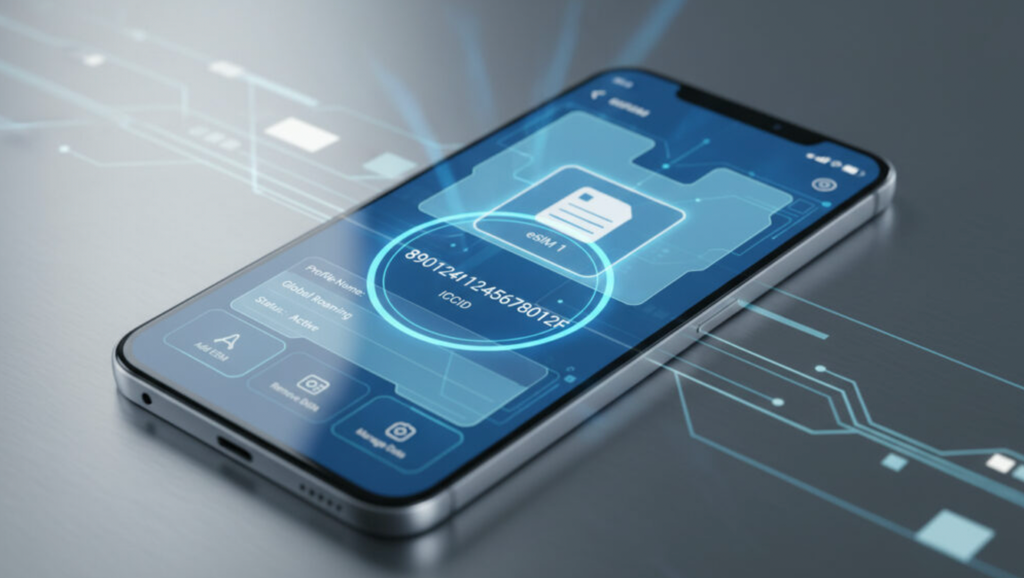
Once a profile is active, the security considerations shift from getting the line running to keeping it from being taken over by someone else. Because an eSIM cannot be physically removed and inspected the way a plastic card can, verifying its legitimacy rests almost entirely on account-level safeguards rather than anything visible on the device itself.
A fraud pattern known as a SIM swap, where an attacker convinces a carrier to move a victim’s number onto a new profile under the attacker’s control, affects eSIM and physical SIM customers alike, but the fully digital nature of the eSIM transfer process means the request can sometimes be completed without the victim noticing until service suddenly stops.
Carriers have responded by adding extra verification steps specifically for eSIM transfers, often requiring a one-time code sent to a separate trusted device, a security question, or a short waiting period before a transfer completes. Enabling every optional security layer a carrier offers, rather than relying on the account password alone, closes most of the gap that made early eSIM transfers an appealing target for this kind of fraud. A carrier-level PIN, separate from a phone’s own lock screen code, adds a real extra barrier that a stolen password alone cannot bypass.
- Carrier account PIN: A separate numeric code required before any profile transfer or account change can proceed, distinct from a phone’s screen lock.
- Transfer notification alerts: Enabling text or email alerts for any requested SIM or eSIM change flags an unauthorized attempt before it finishes.
- Secondary verification contact: Keeping a backup email or phone number on file gives a carrier another way to confirm identity during a disputed transfer.
- Account activity monitoring: Periodically checking a carrier account’s login and change history for unfamiliar requests catches problems early.
For anyone using an eSIM to link financial apps, authentication codes, or other sensitive accounts to a phone number, these extra precautions matter more than they might for a casual secondary line, since losing control of that number can cascade into losing access to accounts that rely on it for identity verification.
Secondhand phone sales deserve a brief mention here as well, since a seller who forgets to remove a stored eSIM profile before handing over a device leaves an active line accessible to the new owner until the carrier is notified.
Confirming that every stored profile has been removed from a phone’s cellular settings, not just resetting the device to factory defaults, closes this gap, since some reset processes do not automatically clear an eSIM profile tied to an active carrier account without a separate manual step.
Final Thoughts
eSIM technology removes a piece of hardware that has defined mobile phones for decades, replacing a swappable card with a profile that can be issued, moved, and retired entirely through software. For travelers, dual-line users, and anyone who switches carriers to chase a better plan, that shift saves time and reduces the friction that once came with physical cards.
The technology is not universal yet, and checking a specific phone’s and carrier’s support remains a necessary step before assuming it will work. As more manufacturers phase out the physical tray entirely, familiarity with how eSIM setup and troubleshooting works will matter for nearly anyone replacing a phone in the next few years.
Frequently Asked Questions
Can a phone have more than one eSIM active at the same time?
Many current phones support two or more stored eSIM profiles, though only one or two can typically be active for data and calls simultaneously, depending on the model. Checking the phone’s cellular settings menu shows exactly how many profiles it supports and how they can be combined with calls, texts, and data.
Does switching to an eSIM cost more than a physical SIM?
Pricing is set by the carrier and plan, not the SIM format itself. Some carriers charge a small activation fee for either option, while others waive fees for digital activation specifically to encourage adoption. Comparing plan pricing directly with a carrier representative is the clearest way to confirm any difference.
What happens to an eSIM profile if a phone is lost or stolen?
The profile stays tied to the carrier account rather than the physical device, so contacting the carrier allows the line to be suspended or transferred to a replacement phone. This is one advantage over a physical card, which a thief could otherwise remove and potentially misuse before the account holder notices.
Can an eSIM be used while traveling internationally?
Yes, and this is one of the most common reasons travelers adopt eSIM technology. A local data plan can be added as a secondary profile for the length of a trip, while a home number stays reachable on its own profile, avoiding high roaming fees without needing to buy and swap a physical local card.
Is it possible to transfer an eSIM profile between two personal devices?
Most carriers support this through their app or a support call, generating a new activation code for the replacement device while deactivating the profile on the old one. The exact process varies by carrier, so checking specific instructions before buying a replacement phone avoids a gap in service.
Does an eSIM work the same way for calls and texts as a physical card?
Functionally, yes. Once activated, an eSIM profile handles calls, texts, and data exactly like a physical SIM would, since the format only changes how the profile is stored and installed, not how the network treats the connection afterward.