A smart doorbell camera promises a simple upgrade over a traditional peephole: see who is at the door before opening it, catch a delivery being dropped off, and keep an eye on the porch while away from home.
What the marketing rarely mentions clearly is how much these small devices depend on a household’s internet connection, and how choices around video quality, storage, and placement can make the difference between a doorbell that works reliably and one that misses the exact moment it was bought to capture.
This guide walks through the bandwidth realities, storage options, and setup choices that determine whether a smart doorbell delivers on its promise.
Bandwidth Needs Behind Every Video Doorbell
A video doorbell is, functionally, a small camera streaming footage over your home Wi-Fi network, and this constant connection places demands on a household’s internet that many buyers underestimate. Unlike a security camera plugged in and wired directly to a network switch, most video doorbells rely entirely on Wi-Fi, often from a location at the edge of a home’s coverage, near an exterior door where signal strength tends to be weaker than in the center of a house.
Upload bandwidth, rather than download speed, matters most for a video doorbell, since the device is constantly sending footage outward to the cloud or to a connected app rather than pulling data in. Many households focus on download speed when shopping for internet plans, since that number gets marketed prominently, while upload speed, often a small fraction of the advertised download figure on many residential plans, receives far less attention despite being the metric that determines whether a doorbell’s video streams smoothly.
Different internet connection types handle this asymmetry differently, which is worth knowing before assuming any advertised plan will support a doorbell well. Cable internet plans, common in many suburban and urban areas, often provide fast download speeds but comparatively modest upload speeds, a legacy of how cable networks were originally engineered for one-directional television delivery before internet service was layered on top.
Fiber internet connections, where available, typically offer symmetrical or near-symmetrical upload and download speeds, making them a better match for a household running several upload-heavy devices like doorbells and security cameras. Checking a specific plan’s advertised upload speed, not just its headline download number, before installing a doorbell avoids a frustrating surprise once the device is mounted and connected.
A single doorbell camera typically does not overwhelm a modern home internet connection on its own, but a household adding several security cameras, a doorbell, and other bandwidth-hungry devices like a 4K streaming setup can start to strain a connection with limited upload capacity, especially during a live-view session initiated from a phone while away from home, which demands real-time streaming rather than the more forgiving occasional-clip uploads used for motion alerts.
- Live view sessions: Require sustained upload bandwidth in real time, unlike brief motion-triggered clips that upload gradually after being recorded.
- Multiple camera households: Each additional camera adds to the cumulative upload demand, which can bottleneck a connection with modest upload speed.
- Video resolution settings: Higher resolution settings consume more bandwidth per second of footage, an important lever for households with limited upload capacity.
- Wi-Fi signal strength at the door: A weak signal at the doorbell’s location can cause dropped connections regardless of how fast the overall internet plan is.
- Simultaneous smart home traffic: Video doorbells competing with smart speakers, thermostats, and other connected devices for the same Wi-Fi channel can experience more interference.
Video Quality and Storage Trade-offs
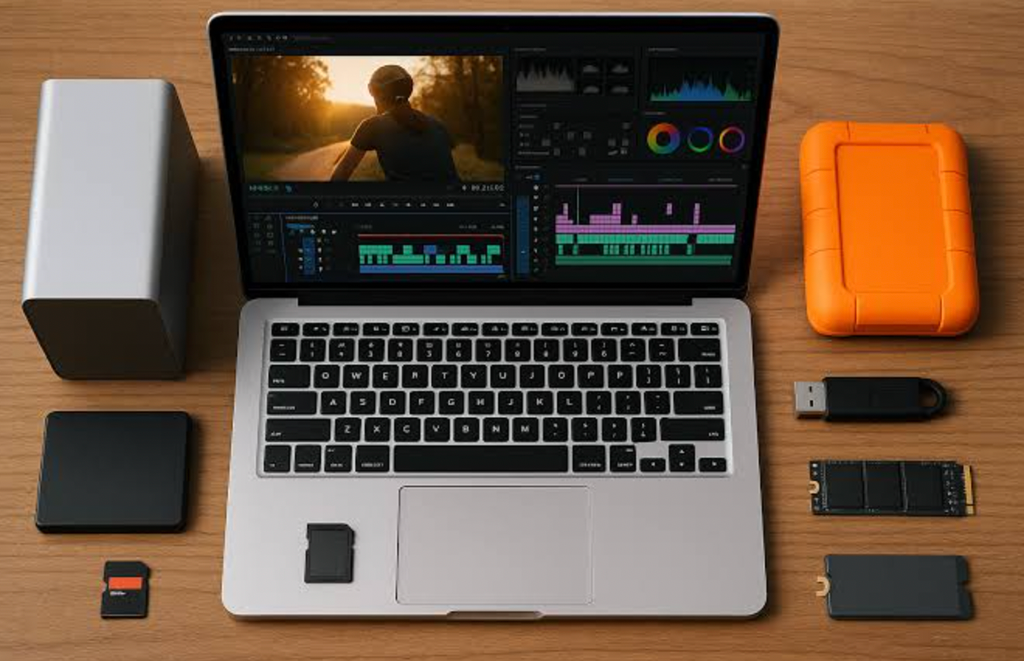
Video doorbells typically offer a range of resolution settings, often from a standard definition option up through 1080p, 2K, or in some newer models, higher resolutions still. Higher resolution captures more detail, useful for reading a license plate or clearly identifying a visitor’s face, but it also increases the file size of every recorded clip, which affects both the bandwidth needed to upload it and the storage space needed to keep it.
Cloud storage plans from doorbell manufacturers typically charge a monthly or annual fee for storing recorded clips for a set retention period, commonly thirty or sixty days, after which older footage is automatically deleted to make room for new recordings.
Some manufacturers, including certain Eufy models, offer local storage options using a memory card or a home hub instead of a recurring cloud subscription, which can save money over time but requires the homeowner to manage storage capacity and retrieval manually rather than relying on an app-based cloud archive.
- Cloud subscription plans: Convenient and accessible from anywhere, but represent an ongoing cost that accumulates over the life of the device.
- Local storage options: Save on subscription fees but require manual management and typically limit remote access features compared to cloud-based plans.
- Resolution versus bandwidth trade-off: Higher resolution improves detail but increases both upload demand and storage consumption per clip.
- Retention period differences: Longer retention windows provide more history to review but require more storage capacity, whether cloud-based or local.
- Continuous versus motion-triggered recording: Continuous recording captures everything but demands far more bandwidth and storage than clips triggered only by detected motion.
Reviewing Ring, Nest, and Eufy Options
The three most recognized smart doorbell brands each take a somewhat different approach to video, storage, and integration with broader smart home systems.
- Ring: Owned by Amazon, Ring offers a wide range of doorbell models at different price points, with cloud storage available through a Ring Protect subscription and strong integration with Amazon Alexa devices.
- Google Nest: Nest doorbells integrate closely with the Google Home ecosystem and Google Assistant, offering both battery-powered and wired models, with cloud storage tied to a Nest Aware subscription.
- Eufy: Known for offering local storage options without a mandatory subscription, appealing to buyers wanting to avoid recurring fees, alongside solid video quality and a companion app that works independently of a specific voice assistant ecosystem.
- Arlo: Offers a range of doorbell and camera products with flexible subscription tiers, often bundling doorbell and broader home security camera coverage under one combined plan.
- SimpliSafe: Positions its doorbell camera as part of a broader home security system, appealing to households wanting a doorbell integrated with a monitored alarm system rather than a standalone device.
Ecosystem compatibility often drives this decision as much as the doorbell’s own specifications. A household already using Amazon Alexa speakers throughout the home gets the smoothest experience from a Ring doorbell, while a household built around Google Assistant and Google Home devices benefits more from a Nest doorbell’s tighter integration. For anyone prioritizing lower long-term cost over deep smart home integration, Eufy’s local storage model deserves close consideration. Price comparisons across these brands should account for the full ownership cost rather than just the upfront device price.
A less expensive doorbell paired with a mandatory monthly subscription can cost more over three or four years than a pricier device with a one-time purchase and local storage, so running the numbers over a realistic ownership period, rather than comparing sticker prices alone, gives a fairer picture of which option saves more money in the long run.
Households already paying for a broader home security monitoring service, such as SimpliSafe or Arlo’s combined plans, should also check whether a doorbell purchased separately duplicates coverage already included in an existing subscription, since bundling often costs less than maintaining two separate services covering overlapping ground.
Installing a Doorbell Without Network Headaches
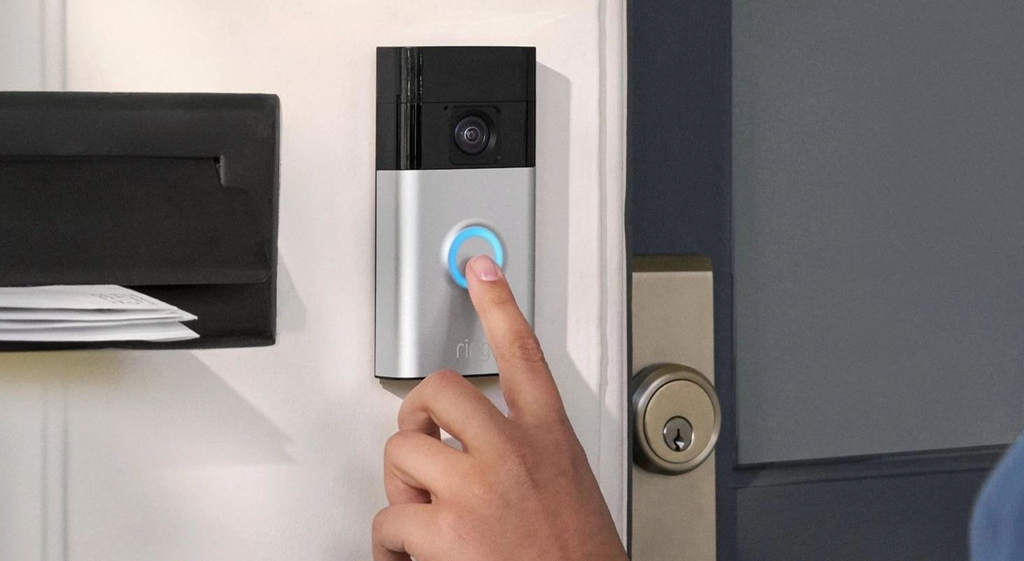
Getting a smart doorbell working reliably starts before the device is even mounted at the door, with an honest assessment of Wi-Fi signal strength at the intended installation location. Many installation problems trace back to a doorbell placed too far from the home’s router, resulting in a weak signal that causes dropped connections, delayed motion alerts, or a live view that stutters and freezes at the exact moment it matters most.
A Wi-Fi extender or a mesh router system with a node placed closer to the front door resolves this in many cases, extending reliable coverage to an exterior location that a single central router struggles to reach. Some doorbell models also support a wired connection option, either through existing doorbell wiring repurposed for network use or through a dedicated Ethernet run, which sidesteps Wi-Fi signal concerns entirely for households willing to do the extra installation work.
- Test Wi-Fi signal at the door before buying: Use a phone’s Wi-Fi analyzer or simply check signal bars at the intended mounting location beforehand.
- Consider a mesh node near the entryway: Extends reliable coverage to an exterior location that a single router often cannot reach well on its own.
- Check existing doorbell wiring compatibility: Some models can use existing low-voltage wiring for continuous power, avoiding reliance on battery charging cycles.
- Separate smart home devices onto a dedicated network band: Many routers support a separate band for smart home devices, reducing competition with phones and laptops for bandwidth.
- Update firmware during initial setup: Manufacturers frequently ship devices with firmware updates waiting, and installing these immediately resolves many early connectivity quirks.
Privacy Considerations for a Camera at Your Door
A camera mounted at a home’s entrance raises privacy questions that extend beyond the homeowner installing it, since the device inevitably captures footage of neighbors, passersby, and delivery workers who have not consented to being recorded. Many local jurisdictions have specific rules or guidelines about doorbell camera placement, audio recording consent, and how footage can be shared, and checking local regulations before installation avoids running afoul of rules that vary a great deal by location.
Data sharing practices between doorbell manufacturers and law enforcement have drawn public scrutiny in recent years, with some companies partnering with local police departments to request footage from homeowners near a reported incident. Reviewing a manufacturer’s specific policy on law enforcement data requests, and adjusting in-app settings that control whether and how such requests reach you, gives homeowners more informed control over this aspect of ownership than assuming a default configuration reflects their own preferences.
Neighborhood dynamics deserve a mention as well, since a doorbell camera pointed toward a shared driveway, a common walkway, or a neighbor’s window can create friction even without any legal violation. A brief conversation with an affected neighbor about camera placement, before rather than after a complaint arises, often resolves a concern that would otherwise fester into a larger dispute.
Some doorbell apps also include neighborhood-sharing features that let users post clips to a shared community feed, and reviewing exactly what gets shared, and with whom, before enabling such a feature avoids inadvertently broadcasting footage of neighbors more widely than intended.
- Check local recording laws: Some regions have specific rules about audio recording consent that can apply to a doorbell’s built-in microphone.
- Angle cameras toward your own property: Reduces unnecessary footage of neighboring homes and public sidewalks where privacy expectations differ.
- Review data sharing settings: Check manufacturer policies on law enforcement requests and adjust app settings that control how such requests are handled.
- Secure the account with strong authentication: A compromised doorbell account can expose live video and stored footage to an unauthorized party.
- Inform household members and frequent visitors: Letting people who regularly visit know about a camera’s presence avoids awkward surprises later.
Keeping Footage Useful When It Matters Most
The entire point of a video doorbell is having usable footage available at the moment it is truly needed, whether confirming a package was delivered, identifying a visitor, or providing evidence after an incident, and a few practical habits keep the system dependable rather than a source of frustration precisely when it counts.
Regularly reviewing captured clips, rather than assuming the system is working correctly simply because it was set up once, catches configuration drift such as a motion sensitivity setting that has quietly become too aggressive or too lax over time. Testing the live view feature periodically from outside the home network, using cellular data rather than the home Wi-Fi, confirms that remote access works as expected rather than only functioning while connected to the same network as the doorbell itself.
Battery-powered models need close attention to charging schedules, since a dead battery renders the entire system useless exactly when an event occurs. Setting a recurring reminder to check battery levels, or opting for a wired model where installation permits, removes this single point of failure that has undermined more than a few homeowners’ confidence in their system after missing an important event due to a depleted battery.
Final Thoughts
A smart doorbell camera delivers real value once its bandwidth and storage requirements are matched to a household’s real internet setup and expectations, rather than treated as a plug-and-play device that works identically regardless of network conditions.
Choosing between Ring, Nest, Eufy, and other brands often comes down to existing smart home ecosystem preferences and whether ongoing subscription costs or local storage management better fits a household’s priorities. Testing Wi-Fi signal strength before installation, reviewing privacy settings thoughtfully, and keeping batteries charged round out the habits that keep a doorbell camera reliable exactly when it is needed most.
A little planning before the first screw goes into the wall saves far more frustration than troubleshooting a weak connection or a drained battery after the device is already mounted and a missed moment has already passed.
Frequently Asked Questions
How much internet speed do I need for a video doorbell?
Most video doorbells work fine on typical home internet plans, but upload speed matters more than download speed. A plan with at least a few megabits per second of upload bandwidth per camera generally supports smooth live view and clip uploads without noticeable lag, and a fiber connection with symmetrical speeds tends to handle multiple cameras more comfortably than a cable plan with a modest upload tier.
Should I choose cloud storage or local storage for doorbell footage?
Cloud storage offers convenient remote access and is generally easier to manage, while local storage, offered by brands like Eufy, avoids recurring subscription fees but requires more manual management of storage capacity and retrieval.
Why does my doorbell’s live view keep freezing or disconnecting?
This usually points to weak Wi-Fi signal at the doorbell’s location, though limited upload bandwidth on the overall internet plan can contribute as well. Adding a mesh network node closer to the entryway or switching to a wired connection where supported typically resolves persistent live view issues.
Do I need to worry about privacy laws when installing a doorbell camera?
Yes, to some degree. Rules vary by location regarding audio recording consent and camera placement, so checking local regulations and angling the camera toward your own property rather than a neighbor’s helps avoid potential conflicts.
How long is doorbell footage typically stored?
Retention periods vary by manufacturer and subscription tier, but thirty to sixty days is common for cloud storage plans, after which older footage is automatically deleted to make room for new recordings.
Can I use a smart doorbell without a subscription?
Yes, with certain brands. Models from Eufy and some others offer local storage options that avoid a mandatory subscription, though this typically comes with some trade-offs in remote access features compared to cloud-based plans, and the homeowner takes on more responsibility for managing storage capacity directly.