Few things are more irritating than a phone that rings with an unknown number or a text that urges you to click a link right now. These calls and messages are sent in huge volumes, and scammers change numbers quickly to stay ahead of simple blocks.
In this article we will discuss where spam comes from, which phone, carrier and app filters reduce it, and what to do if you have already responded.
Spam volume comes from several different sources
Unwanted calls and texts do not come from one source, which is why no single setting makes them vanish. Some arrive from political campaigns, which are typically not covered by the national do-not-call list. Registering to vote, donating or signing a petition can put your number on campaign lists. Others come from loan offers that follow an online application, and some of those are outright scams that are fishing for your financial information.
Data breaches and people-search websites are the third big source. Once your phone number appears in a leaked database or on a site that sells personal profiles, it can pass among marketers and criminals for years. That explains why a number that has been quiet for months can suddenly start receiving dozens of messages. It also explains why deleting one message or blocking one sender rarely changes the overall volume.
The Do Not Call Registry is worth knowing about but has limits. It is not a reliable way to stop scam texts, because criminals do not follow the rules the registry relies on. Legitimate companies may respect it, while scammers ignore it entirely. Treat it as a small piece of hygiene for lawful telemarketing and not as a shield against fraud.
The practical lesson is that you are fighting a mixed stream. Some of it is annoying but lawful, some of it is borderline, and some of it is criminal, and different tools handle each part. Filters catch the bulk of the crude and repeated traffic, while your own habits handle the targeted attempts that slip through. Building a layered approach is more effective than hunting for the one perfect app.
Built-in phone settings are the first line of defense
The cheapest and most private protection is already inside your phone. On an iPhone, the setting called Silence Unknown Callers lives under the Phone settings. It sends calls from numbers that are not in your contacts straight to voicemail, so the phone does not ring. The trade-off is that you may also silence legitimate calls from numbers you have not saved, such as a doctor’s office or a delivery driver, so check your voicemail regularly.
Newer phone software also lets the phone question unknown callers for you. On an iPhone, you can have the phone ask callers why they are calling and then see a live transcript before you decide whether to pick up. Android offers a similar tool through the Google Phone app, which can screen calls automatically with Google Assistant. It answers the call, asks who is calling and shows a live transcript so that you can decide what to do. Real people tend to explain themselves, while automated callers usually hang up.
On Android, you can also turn on spam filtering inside the Phone app, which flags suspected spam calls and lets you block unknown numbers. The exact menu names vary by manufacturer, so look under the call settings in the Phone app for spam and caller ID options. Spending five minutes in those menus is the highest-value step in this entire article. Once set, they work in the background with no ongoing effort.
For repeat offenders, manual blocking takes a few taps on both iOS and Android. It works best alongside the filters, since robocallers often spoof or rotate their numbers. Blocking one number feels satisfying, but the next call will often arrive from a different one. Think of it as a small supplement, not the main defense.
Carrier tools add a second layer for free
Your mobile carrier can stop or label suspicious calls before they ever reach your phone, which makes it a useful second layer. The three large US carriers each have their own tool: AT and T offers ActiveArmor, Verizon offers Call Filter, and T-Mobile offers Scam Shield. Reports describe these as free tools that block or label suspicious calls, although some extra features may require a paid subscription. Features vary by plan, so check your provider’s spam and scam protection page to see exactly what your account includes.
The benefit of carrier tools is that they work at the network level and do not depend on the phone model. If you use an older handset or switch between phones, the protection follows your account. They also complement the phone’s own settings, since the carrier sees traffic patterns across many customers that your phone cannot see alone. Running both at the same time is common and sensible.
Be aware of what labels mean. A label such as “Scam Likely” is a prediction and not a verdict, and a legitimate call occasionally gets flagged. If you are expecting a call from a pharmacy or a school, do not dismiss a flagged call automatically. Consider letting it go to voicemail and listening to what the caller says.
If you use a smaller carrier or a virtual provider, check its support pages for equivalent tools. Many offer some kind of spam labeling, though the names and features differ. If your carrier has nothing, the phone settings and a third-party app can fill the gap. The goal is the same: let software absorb the first wave so that fewer calls reach you.
Third-party apps trade privacy for extra filtering
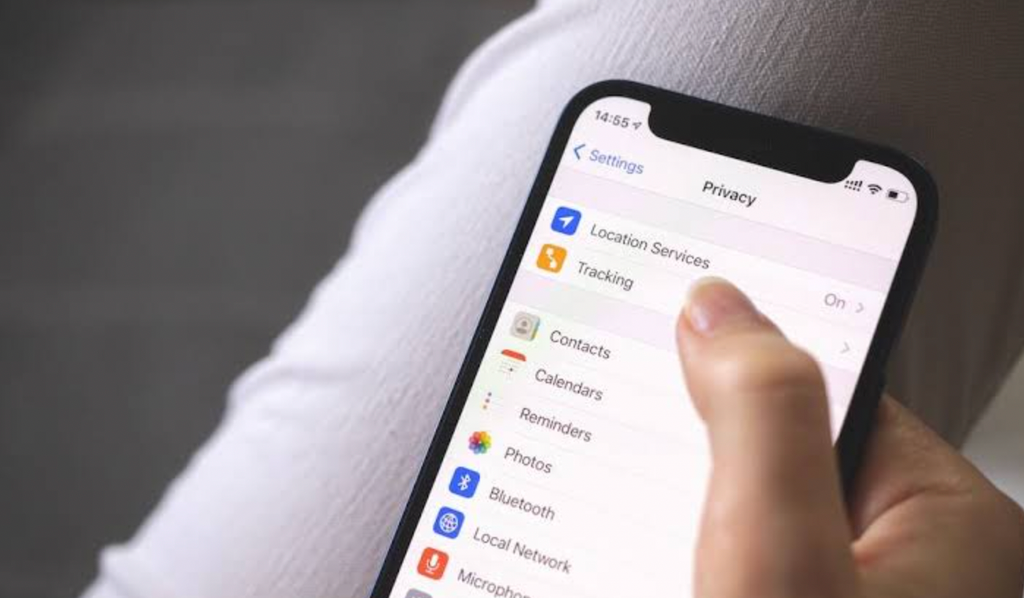
Several apps promise stronger filtering, including Hiya, RoboKiller and Truecaller. Hiya and RoboKiller use databases of scam numbers and can detect spoofed calls, with free versions covering the basics and paid plans adding more filtering. These apps can be effective, especially on phones where the built-in tools are limited. They are also optional, and many people find the built-in and carrier tools sufficient.
The cost to consider is privacy. To identify callers, these apps usually need access to call information, and some may use contact data. Before installing one, review the developer, the permissions it requests and the privacy policy. A free app that earns money from your data is not really free.
There is also a practical question of overlap. Running a carrier filter, the phone’s built-in screening and a third-party app all at once can create confusion about which one blocked what. It may also cause legitimate calls to be missed. If you try an app, give it a couple of weeks and judge whether it caught something the other layers missed.
A good rule is to add tools one at a time. Start with the phone settings, add the carrier tool and live with that for a while. Only if unwanted calls remain a problem should you add an app, and then pick one reputable option instead of several. Fewer layers that you know well are better than a pile you never check.
Text messages need their own rules
Texts follow different rules from calls, and the filters for them are separate. On an iPhone, open Messages, tap the Filter button and choose Manage Filtering, then turn on Screen Unknown Senders to separate messages from people not in your contacts. Those messages move to a separate folder and do not trigger notifications. On Android, the Google Messages app can detect and report spam automatically, and you can confirm that Spam protection is on under Messages settings, in the Protection and safety section.
When a bad message gets through, use the Report Spam or Report Junk option in your messaging app if it appears. You can also forward the text to 7726, which spells SPAM, so your carrier can review it and help block similar messages. Reporting takes a few seconds and improves the filters for everyone. Blocking the sender is a reasonable extra step, though scammers often switch numbers.
Do not reply to suspicious texts, even to ask for removal, because a reply can confirm that your number is active. The same applies to “wrong number” texts, even friendly ones, which are often the first step in a longer scam. Replying “STOP” is sensible only for organizations you recognize and trust, where it may end future messages. Use unsubscribe options only for businesses you know.
Do not click links or download attachments from unexpected messages. If a message appears to come from your bank or another organization, contact that organization through a phone number or app you already trust, not through anything in the text. Scammers rely on urgency, such as a missed delivery or a locked account, to push you into acting before thinking. A message that demands immediate action is a reason to slow down.
The table below compares the main tools so you can see how they fit together. Notice that most of them are free, which means the real cost is attention and not money. Use it to decide which layers to switch on first.
| Tool | Where it works | Cost | Main strength | Main limit |
| Silence Unknown Callers (iPhone) | Phone settings | Free | Stops unknown calls from ringing | May silence wanted calls |
| Call screening (Google Phone app) | Android phone | Free | Asks callers to explain themselves | Needs your attention to review |
| Carrier tools (ActiveArmor, Call Filter, Scam Shield) | Carrier network | Free basics, some paid extras | Blocks or labels before the phone rings | Features vary by plan |
| Third-party apps (Hiya, RoboKiller, Truecaller) | Installed app | Free basics, paid plans | Scam databases and spoof detection | Privacy and permissions |
| Screen Unknown Senders (iPhone texts) | Messages settings | Free | Separates unknown senders quietly | Wanted texts can be hidden |
| Tool | Where it works | Cost | Main strength | Main limit |
| Spam protection (Google Messages) | Android messages | Free | Detects and reports spam automatically | Misses some messages |
| Forwarding to 7726 | Any text | Free | Helps your carrier block similar texts | No instant result |
Consider what happens when a filter makes a mistake. Over-blocking is the cost of strict settings: a wanted call goes to voicemail, a bank code lands in a quiet folder, or a delivery driver cannot reach you. Under-blocking is the cost of loose settings: more scams get through and more attention is spent on them. Most people do best with strict call settings, since a real caller can leave a message, and somewhat looser text settings, since codes and alerts arrive by text.
Whichever balance you choose, keep a short list of numbers that must always ring through, such as family, your doctor and your child’s school. Saving them as contacts is enough for the phone to treat them as known callers. That list is the safety valve that lets you keep the filters strict without worrying about missing something urgent.
Habits matter because scammers rotate numbers
Software handles the volume, but habits handle the clever attempts. The most useful habit is not answering calls from unknown numbers, because answering can mark your number as active, which often leads to more calls. If the call matters, the caller will leave a voicemail, and you can return it through a number you look up yourself. That small delay costs almost nothing and removes most of the risk.
A second habit is to treat your phone number as sensitive information. Think before giving it out for store loyalty programs, online forms and sweepstakes, since each entry can end up in a marketing database. Where a form lets you leave the number blank, do so. Where it is required, consider whether the benefit is worth the future noise.
Pay attention to the paths that expose numbers, such as political sign-ups, loan applications and petitions. These are not wrong to use, but they are common reasons for a sudden jump in messages. If you notice a spike after taking one of those actions, you have probably found the cause. Knowing the cause helps you decide how much to share next time.
Finally, build a habit of verifying through your own channels. If someone claims to be your bank, a delivery company or a government office, hang up or ignore the text and contact the organization through an app or a number you already trust. Scammers can imitate caller ID and copy the look of real messages, so appearance proves nothing. Your own verification step is the one thing they cannot fake.
Households need a shared plan and a regular settings review
Spam affects everyone, but scams tend to hit hardest where trust is highest, which often means parents, grandparents and anyone who is less used to phone fraud. A short family conversation can do more than any app. Agree on a simple rule: if a call or text asks for money, codes or passwords, nobody acts on it until a second person has checked. The rule works because scammers depend on isolation and speed, and a second opinion removes both.
Help relatives set up the same built-in filters you use. On an iPhone that means Silence Unknown Callers and Screen Unknown Senders, and on Android it means spam filtering in the Phone app plus Spam protection in Google Messages. Setting these up together takes a few minutes and saves a long stream of stressful calls. Check in occasionally, since a filter that was switched off after an update protects nobody.
Teach the common patterns in plain terms. A text about a missed delivery, a locked account or an unpaid toll, a call from a supposed bank that asks you to move money, and a friendly “wrong number” message that turns into a conversation all follow familiar scripts. Real organizations let you hang up and call back through a number you trust, and a caller who objects to that is a warning sign. Once someone knows the script, the next attempt loses most of its power.
It also helps to set up a way to check unknown calls without answering them. Let them go to voicemail, and ask relatives to do the same. If the matter is real, the voicemail will say who the caller is and why they called, and you can look up the organization’s official number yourself. This habit protects people who feel they must answer every ring out of politeness.
Phones and carriers change their menus, and the protection you set up last year may not match what you see today. After a major software update, open the Phone and Messages settings again and confirm that the filters are still switched on. On Android, check the call settings for spam and caller ID options, since exact menu names vary by manufacturer. A two-minute check every few months is enough.
Look at your voicemail too. Because Silence Unknown Callers sends unsaved numbers to voicemail, important calls may be waiting there, and a quick scan of the list will show whether the filter is too strict. If you find wanted callers in the pile, save their numbers to your contacts so they ring through in the future. This small adjustment keeps the filter useful without making you miss things that matter.
Do the same for text filters. Unknown senders are moved to a separate folder with no notification, so one-time codes from banks and delivery services can land there. Glance at that folder when you are expecting a code, and do not assume a message is missing just because it did not buzz. Balancing strictness against convenience is the ongoing task, and the right setting differs from one person to the next.
Keep expectations about carrier and app labels in proportion. A label is a prediction built from patterns, so a call marked as likely spam deserves caution and a call with no label is not automatically safe. Scammers test new numbers constantly, and a number can be clean for a day before the filters catch up. Your own judgment about what the caller asks for remains the final check.
Remember also that these tools save time, which is their quiet benefit. Each ignored call or filtered text is a small interruption you do not have to deal with, and across a week that adds up. The point is not only safety but also the ability to use your phone without constant suspicion. A calmer phone makes it easier to spot the rare message that really matters.
Reporting a scam and recovering from a click take only minutes
Reporting feels optional, but it is one of the most useful things you can do. Forward scam texts to 7726 and use the Report Spam button in your messaging app. You can also report scams and fraud attempts to the FTC through its ReportFraud website. These reports feed the databases that carriers and filters use, which means your two minutes can protect other people.
If you have already clicked a link, act quickly but calmly. Avoid opening any downloads that came with it. If you entered a password, change it right away, and change it anywhere else you used the same one. If you shared financial details or an authentication code, contact the bank or service immediately through a trusted number so that it can lock or monitor the account.
Keep a record of what happened, such as screenshots of the message and the number that sent it. If money was lost, the record helps when you contact your bank and file a report. Speed matters because banks can sometimes stop or reverse a transfer if you reach them early. Do not feel embarrassed, since these scams are designed to fool careful people.
After an incident, revisit your settings. Confirm that the filters are still on, check whether the number you gave out can be changed or removed from the account involved, and consider enabling stronger sign-in protection on important accounts. A bad experience is a good prompt for a quick audit. The aim is to leave your phone a harder target than it was before.
Conclusion
Begin with the free, built-in tools, because they take minutes and cost nothing. On an iPhone, turn on Silence Unknown Callers and Screen Unknown Senders. On Android, turn on spam filtering in the Phone app, check that Spam protection is on in Google Messages, and try call screening. Then check your carrier’s page for its free tool and enable it.
Next, adjust your habits. Do not answer unknown numbers, do not reply to suspicious texts, and do not click links in messages you did not expect. Forward spam texts to 7726 and use the Report Spam button whenever a message gets through. If you want more filtering later, add one reputable app after reviewing its permissions and privacy policy.
Set realistic expectations. You will not reach zero, because numbers rotate, new campaigns start and some traffic is lawful. What you can do is cut the daily noise and make the dangerous messages easier to spot. Review your settings occasionally, since phone updates and carrier changes can alter them.
The reward is a phone that rings when it matters and stays quiet when it does not. A few minutes of setup, a handful of habits and a regular habit of reporting make a lasting difference. Start with one setting today and add the rest over the week.