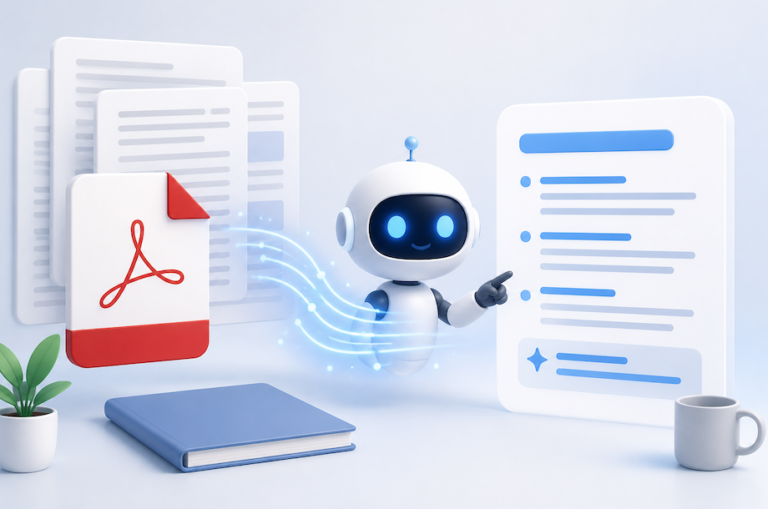
Artificial Intelligence is no longer a futuristic idea reserved for giant tech companies. In 2026, even small businesses, bloggers, online stores, and personal brands are adding AI chatbots to their websites to improve customer support, boost sales, and automate repetitive tasks. According to recent industry reports, the global chatbot market is expected to cross $11 billion in 2026, while millions of businesses now rely on AI-powered conversations to handle customer interactions.
The best part? You no longer need advanced coding skills to create a smart chatbot for your website. Modern AI tools have made chatbot development simple, affordable, and beginner-friendly. Whether you run a WordPress blog, Shopify store, SaaS company, or portfolio website, you can launch a functional AI chatbot in just a few hours.
This guide walks you through every step in simple English. By the end, you will know exactly how to build, customize, train, and launch your own AI chatbot in 2026.
Recommended Read:
Cinematic Video Editing for YouTube: Make Your Content Look Like a Movie
Why AI Chatbots Matter in 2026
AI chatbots have evolved from basic automated responders into intelligent digital assistants that can engage in natural, human-like conversations with website visitors. Businesses now use them for customer support, appointment booking, lead generation, product recommendations, and even content suggestions. The shift happened because AI models became dramatically smarter and easier to integrate into websites.
Recent data shows that nearly 62% of consumers prefer getting quick chatbot responses instead of waiting for a human support agent. Some businesses report reducing customer support costs by up to 30% after implementing AI chat systems. These numbers explain why chatbots are becoming essential rather than optional.
Think about how people browse websites today. Visitors expect instant answers. If they cannot quickly find what they need, they leave. A chatbot acts like a digital receptionist standing at the front door of your website twenty-four hours a day. It greets visitors, answers questions, guides purchases, and helps users navigate your content. That immediate interaction can significantly improve engagement and conversion rates.
Another reason chatbots matter is scalability. A human support team can only handle a limited number of conversations at once. AI chatbots can manage hundreds or thousands simultaneously without getting tired. For small businesses, this creates an opportunity to compete with larger companies without hiring massive customer service teams.
Rising Demand for AI Customer Support
Customer expectations have shifted significantly in recent years. People no longer want to wait several hours for email responses or stay on hold for phone support. Speed matters. Convenience matters. AI chatbots deliver both.
The rise of generative AI tools has accelerated adoption across industries, including e-commerce, education, healthcare, finance, and real estate. Reports from 2026 indicate that chatbot adoption among businesses has increased nearly fivefold compared to previous years. Companies are now using AI assistants not just for support, but also for marketing, onboarding, and customer retention.
Online stores especially benefit from AI-powered support. Picture yourself browsing an online store late at night, looking for guidance in selecting the perfect product. Instead of waiting until morning for a human response, an AI chatbot can instantly compare products, answer shipping questions, and recommend items based on customer preferences.
The technology has also become more human-like. Modern AI chatbots understand context, remember previous interactions, and respond conversationally instead of sounding robotic. This creates a smoother user experience and builds trust between businesses and customers.
Benefits of AI Chatbots for Websites
Adding an AI chatbot to your website creates advantages that extend far beyond customer support. One of the biggest benefits is lead generation. A chatbot can interact with visitors in real time, ask qualifying questions, collect contact information, and direct potential customers toward the right products or services.
Another major advantage is increased user engagement. Websites with interactive AI assistants tend to keep visitors active for longer periods. Instead of bouncing away after a few seconds, users stay engaged because they can immediately ask questions and receive personalized responses.
AI chatbots also help automate repetitive tasks. Think about how many times businesses answer the same questions every day:
- What are your business hours?
- Do you ship internationally?
- How much does this product cost?
- How can I reset my password?
A chatbot handles these instantly, freeing human staff to focus on more complex issues.
Here is a quick comparison of website support methods:
| Feature | Human Support | AI Chatbot |
| Availability | Limited Hours | 24/7 |
| Response Speed | Minutes or Hours | Instant |
| Cost | High | Lower |
| Scalability | Limited | Massive |
| Consistency | Varies | Consistent |
Businesses using AI chatbots also gain valuable customer insights. Chatbot conversations reveal what customers struggle with, what products they want, and where users abandon the buying process. This information helps companies improve their websites and services over time.
Understanding the Different Types of AI Chatbots
Before building your chatbot, you need to understand the main types available. Not all chatbots work the same way. Choosing the wrong type can create frustration for both you and your users.
The first category is rule-based chatbots. These operate using predefined rules and scripted responses. They are simple to build but limited in flexibility. If users ask unexpected questions, the chatbot may fail to provide meaningful answers.
The second category is AI-powered conversational chatbots. They rely on advanced language models to comprehend and engage in natural conversation. They can answer open-ended questions, adapt responses dynamically, and learn from interactions. This is the most popular choice in 2026 because it feels much more human.
The third category is hybrid chatbots, which combine rule-based flows with AI intelligence. These systems are powerful because they balance structure and flexibility. For example, a hybrid chatbot might use fixed workflows for appointment booking while using AI for general conversations.
Understanding these differences helps you choose the right solution for your website goals. A small blog might only need a basic AI assistant, while an e-commerce store may require advanced product recommendation capabilities.
Choosing the Right AI Chatbot Platform
Selecting the right platform is one of the most important decisions in the entire process. The good news is that beginners now have access to many user-friendly tools that require little or no coding experience.
Popular chatbot platforms in 2026 include:
- OpenAI ChatGPT API
- Google Dialogflow
- Tidio AI
- Intercom AI
- Drift
- Rasa
- Kore.ai
If you are a beginner, no-code chatbot builders are often the best starting point. These platforms provide drag-and-drop interfaces where you can create conversation flows visually. You simply choose triggers, responses, and actions without writing complex code.
Custom AI development platforms are better suited for advanced users or businesses needing specialized features. These allow deeper integrations, custom training data, and greater control over chatbot behavior. They usually require technical knowledge or developer support.
When choosing a platform, consider the following factors:
| Feature | Why It Matters |
| Ease of Use | Important for beginners |
| AI Quality | Determines response accuracy |
| Pricing | Impacts long-term costs |
| Integrations | Connects with your website tools |
| Analytics | Tracks chatbot performance |
| Security | Protects user data |
A beginner-friendly platform with good documentation and customer support can save enormous amounts of time during setup.
Essential Features Every Website Chatbot Needs
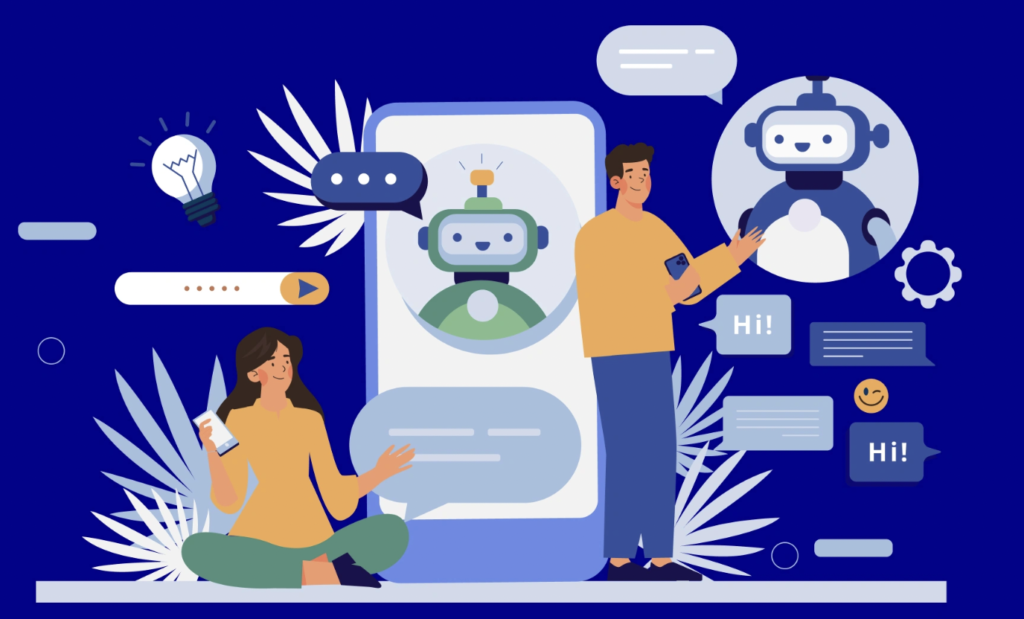
A successful chatbot does more than simply answer questions. It creates smooth, helpful, and engaging experiences for visitors. That is why certain features are essential.
One important feature is live chat escalation. Sometimes AI cannot solve a customer issue. In those cases, the chatbot should transfer the conversation to a human support agent. Studies indicate that customers value transparency about a chatbot’s capabilities and like having easy, fast access to human support when necessary.
Another critical feature is AI knowledge base training. Your chatbot should understand information specific to your business. This includes FAQs, product details, pricing information, policies, and documentation. The more accurate training data you provide, the smarter your chatbot becomes.
Multilingual support is increasingly important in 2026 because websites attract visitors from around the world. AI chatbots can now translate and respond in multiple languages almost instantly, improving accessibility for global audiences.
Additional features worth considering include:
- Appointment scheduling
- E-commerce integration
- CRM connectivity
- Email capture forms
- Analytics dashboards
- Voice support
- Mobile responsiveness
The goal is not to overload your chatbot with unnecessary functions. Focus on features that genuinely improve user experience and support your business objectives.
Step 1 – Define Your Chatbot Goals
Before touching any software, define exactly what you want your chatbot to accomplish. This step sounds simple, but many beginners skip it and end up with confusing chatbot experiences.
Ask yourself questions like:
- Do I want to improve customer support?
- Do I want to generate leads?
- Do I want to automate bookings?
- Do I want to increase product sales?
A chatbot without clear goals is like a GPS without a destination. It may function technically, but it will not provide meaningful value.
For example, an e-commerce chatbot may focus on product recommendations, shipping support, and abandoned cart recovery. A blogging website might use a chatbot to recommend articles and collect email subscribers. A SaaS company may prioritize onboarding assistance and troubleshooting.
Clear goals also help you measure success later. If your chatbot aims to reduce support tickets, you can track whether ticket volume decreases over time.
Step 2 – Choose an AI Model
The intelligence of your chatbot depends heavily on the AI model behind it. In 2026, businesses commonly use advanced large language models because they produce natural and context-aware conversations.
Popular AI model providers include:
- OpenAI
- Google Gemini
- Anthropic Claude
- Microsoft Copilot AI
For beginners, APIs from companies like OpenAI are often the easiest option because they provide strong documentation and widespread integrations. Many chatbot builders already connect directly with these AI systems, reducing technical complexity.
When selecting a model, balance quality and cost. More advanced models may produce better responses but cost more per interaction. Small businesses should start with affordable options and scale gradually as chatbot usage grows.
You should also consider response speed, multilingual capabilities, and customization features. The ideal AI model should align with your audience’s needs and business budget.
Step 3 – Create Conversation Flows
Conversation design is where your chatbot personality begins to take shape. Even powerful AI models need guidance. Without structure, conversations can become confusing or inconsistent.
Start by mapping common customer questions and interactions. Imagine the most typical visitor journeys through your website. What information do they need first? Where do they usually get stuck?
Create flows for situations such as:
- Greeting new visitors
- Answering FAQs
- Product recommendations
- Booking appointments
- Collecting contact information
- Escalating to human support
Keep the tone conversational and friendly. Nobody enjoys talking to a chatbot that sounds cold or robotic. Use simple language, short responses, and clear calls to action.
You should also design fallback responses for situations where the chatbot does not understand a question. A helpful fallback might say:
“I’m not certain about that right now, but I can connect you with our support team or help you find the answer on our website.”
This keeps conversations productive instead of frustrating.
Step 4 – Train the Chatbot
Training is the process of teaching your chatbot about your business. Think of it like onboarding a new employee. The more information you provide, the better the chatbot performs.
Upload resources such as:
- FAQs
- Product catalogs
- Help center articles
- Policy pages
- Blog content
- Pricing information
Modern AI chatbot tools can automatically scan website pages, greatly accelerating the training process. Still, you should carefully review responses afterward because AI can occasionally misunderstand information.
Testing is essential during this phase. Ask your chatbot difficult questions, unusual questions, and incomplete questions. See how it responds. Improve weak answers and refine prompts until conversations feel smooth.
Businesses that invest time in chatbot training usually see much higher customer satisfaction rates. Poorly trained bots frustrate users and damage trust.
Step 5 – Integrate the Chatbot into Your Website
Once your chatbot is ready, it is time to publish it on your websiteMost chatbot platforms offer an easy-to-use code snippet that you can embed directly into your website builder or content management system.
Popular integrations include:
- WordPress
- Shopify
- Wix
- Webflow
- Squarespace
- Custom HTML websites
After installation, customize the chatbot widget design so it matches your website branding. Use your business colors, logo, and tone of voice to create consistency.
Placement also matters. Most websites position chatbots in the bottom-right corner because users naturally expect support widgets there. You can also create proactive triggers where the chatbot automatically appears after users spend time on specific pages.
Monitor chatbot behavior closely after launch. Watch analytics, review conversations, and continuously improve performance. Successful chatbots evolve rather than remaining static.
Best AI Chatbot Tools for Beginners in 2026
Choosing beginner-friendly software can dramatically simplify chatbot creation. Here are some of the leading tools you can use in 2026:
| Tool | Best For | Difficulty |
| ChatGPT API | Flexible AI conversations | Medium |
| Dialogflow | Google ecosystem integration | Medium |
| Tidio AI | Small business websites | Easy |
| Intercom AI | Customer support automation | Medium |
| Drift | Sales and lead generation | Easy |
These platforms provide templates, tutorials, and integrations that make setup much easier for beginners. Some offer free plans, allowing you to experiment before committing financially.
The best platform depends on your goals. If you prioritize ease of use, Tidio or Drift may work well. If you need advanced customization, OpenAI or Dialogflow offers greater flexibility.
Common Mistakes Beginners Should Avoid
Many first-time chatbot creators make similar mistakes. One major error is trying to automate everything immediately. Customers become frustrated when chatbots attempt to handle complex situations beyond their capabilities.
Another common issue is poor training data. If your chatbot lacks accurate information, it produces unreliable answers. Users quickly lose trust when responses feel incorrect or confusing.
Ignoring human handoff options is another mistake. Customers should always have a clear path to reach human support when necessary.
Overcomplicated conversation flows can also create problems. Simplicity usually wins. Visitors want quick answers, not endless menus and confusing prompts.
Finally, failing to monitor chatbot analytics can limit improvement. Review conversations regularly to identify weak areas and optimize performance.
AI Chatbot Security and Privacy Tips
Security and privacy have become major concerns in AI development. Research shows that poorly configured chatbots may expose sensitive information or rely heavily on tracking systems.
To protect users and your business:
- Use HTTPS encryption
- Avoid storing unnecessary personal data
- Follow GDPR and privacy regulations
- Limit access to sensitive information
- Regularly update chatbot software
- Be transparent about AI usage
You should also inform users when they are speaking with AI instead of a human. Transparency builds trust and reduces confusion.
If your chatbot processes payments, medical data, or financial information, additional security measures become essential. Businesses handling sensitive industries should consult cybersecurity professionals during implementation.
How Much Does an AI Chatbot Cost in 2026
Chatbot pricing varies widely depending on features, traffic volume, and customization needs.
Here is a rough pricing overview:
| Type | Estimated Cost |
| Basic No-Code Chatbot | $20–$100/month |
| AI Chatbot with API Usage | $100–$1000/month |
| Enterprise AI Solution | $5000+/month |
Small websites can often launch basic AI chatbots affordably. Costs increase when conversation volume grows or advanced integrations are added.
Fortunately, chatbot ROI can be impressive. Businesses frequently save money through reduced support workloads, increased lead generation, and improved customer retention. Some reports suggest chatbots can autonomously handle up to 68–70% of inquiries.
Future Trends in AI Website Chatbots
AI chatbots are evolving rapidly. In 2026, the biggest trend is the rise of AI agents capable of completing actions instead of only answering questions. These systems can book appointments, process purchases, manage workflows, and perform multi-step tasks automatically.
Voice-enabled chatbots are also growing quickly. Instead of typing, users increasingly interact through natural speech. This creates more human-like experiences, especially on mobile devices.
Personalization is another major trend. Future chatbots will remember customer preferences, browsing history, and previous interactions to deliver highly tailored experiences.
Multimodal AI is becoming important too. Chatbots can now analyze images, videos, and documents in addition to text. This opens new possibilities for e-commerce, education, and customer support.
Businesses adopting AI chatbot technology early will likely gain significant competitive advantages as these systems continue improving.
Conclusion
Creating an AI chatbot for your website in 2026 is easier, faster, and more affordable than ever before. You no longer need advanced programming knowledge or huge development budgets to deliver intelligent customer experiences.
The key is starting with clear goals, choosing the right platform, training your chatbot carefully, and continuously improving performance after launch. A successful chatbot acts like a helpful digital assistant that supports visitors, answers questions, and guides users toward action.
As AI technology continues evolving, website chatbots will become even more capable and personalized. Businesses that embrace these tools now position themselves ahead of competitors while delivering faster and smarter customer experiences.
FAQs
1. Do I need coding skills to create an AI chatbot?
No. Many modern chatbot platforms offer no-code builders that allow beginners to create chatbots using drag-and-drop tools and templates.
2. Which AI chatbot platform is best for beginners?
Tidio AI and Drift are excellent beginner-friendly options, while ChatGPT API offers greater flexibility for advanced customization.
3. Can I add an AI chatbot to WordPress?
Yes. Most chatbot tools provide WordPress plugins or code snippets that make integration simple and quick.
4. Are AI chatbots expensive?
Basic chatbot plans can cost as little as $20 per month, though advanced AI systems with high traffic may cost significantly more.
5. Can AI chatbots replace human customer support?
AI chatbots can handle many routine tasks, but human support remains important for complex or sensitive issues.