Tapping a phone against a checkout terminal instead of pulling out a physical card has moved from novelty to routine in just a few years, yet many people still carry a wallet full of plastic out of habit rather than choice. Digital wallets offer real advantages in speed, security, and convenience, but the landscape of apps, standards, and store compatibility can be confusing to someone who has never tried one.
This guide breaks down how contactless payment apps work, how the major options compare, and how to start using one with confidence.
How Contactless Payments Reached the Mainstream
Contactless payment technology relies on a short-range wireless standard called Near Field Communication, or NFC, which allows a phone or card to exchange payment data with a terminal from a few centimeters away. The technology itself has existed in physical cards for well over a decade, appearing as the small radio-wave symbol printed on many debit and credit cards.
Digital wallets took this same underlying technology and moved it into a phone’s secure hardware, adding a layer of software that manages which card is used and confirms the user’s identity before a payment goes through. Adoption accelerated for a mix of reasons. Retailers upgraded checkout terminals over time to meet card network requirements, making contactless acceptance far more common than it was a decade ago.
Public health habits during the pandemic pushed many shoppers toward touchless payment methods, a preference that stuck around after health concerns faded because the convenience remained. Smartphone makers also invested heavily in the feature, building it into the operating system itself rather than treating it as a third-party add-on, which meant every new phone shipped with the capability built in and ready to configure.
Today, contactless payment is accepted at a wide range of retailers, transit systems, and even some vending machines, making a digital wallet a real convenience for daily errands rather than a niche convenience reserved for tech enthusiasts. Card networks played a supporting role in this shift as well. Visa, Mastercard, and other major networks set rules requiring newer terminals to support contactless transactions, and many pushed liability changes onto merchants who failed to upgrade equipment in a timely manner.
This quiet policy shift, more than any single marketing campaign from a phone maker, is a large part of why contactless acceptance became close to universal at grocery stores, pharmacies, and coffee shops across most major cities within a relatively short span of years. Smaller independent businesses sometimes lag behind larger chains in upgrading hardware, but the gap has narrowed over time as payment processors bundled contactless-capable terminals into standard service packages rather than charging extra for the feature.
Comparing Apple Pay, Google Pay, and Samsung Pay
The three dominant digital wallet platforms share a similar core function but differ in device compatibility, supported banks, and a few notable features.
- Apple Pay: Built into iPhone and Apple Watch, it uses Face ID or Touch ID for authentication and integrates tightly with Apple’s ecosystem, including easy setup through the Wallet app and support for transit cards in many major cities.
- Google Pay: Available across Android devices from many manufacturers, it supports a broad range of banks and also allows loyalty cards, tickets, and boarding passes to be stored alongside payment cards.
- Samsung Pay: Notable for supporting both NFC and Magnetic Secure Transmission, a technology that mimics a card swipe, which historically let it work at terminals lacking contactless readers, though this advantage has narrowed as more terminals adopt NFC.
- PayPal’s in-app wallet: While not tied to a specific phone brand, PayPal offers a digital wallet experience usable online and, through linked cards, at some in-person checkouts as well.
- Bank-specific wallet apps: Some banks and credit unions offer their own wallet features within their banking app, though these often work by generating a virtual card number rather than a full NFC payment experience.
Choosing among these often comes down less to features and more to which phone you already own, since Apple Pay is exclusive to Apple hardware and Google Pay serves the Android side of the market. Samsung Pay remains a Samsung-specific option layered on top of Google’s Android platform, offering the wider merchant compatibility as a bonus for Samsung device owners.
Security Layers Behind Every Tap
One of the least recognized aspects of digital wallets is that they are, in several respects, safer than a physical card. When you add a card to a digital wallet, the real card number is not stored on your phone or transmitted during a purchase. Instead, the wallet generates a device-specific token, a substitute number that represents your card only for transactions from that specific device. If a hacker somehow intercepted a transaction, the token would be useless for anything beyond that one purchase and that one device.
Biometric authentication adds another layer. Most digital wallet transactions require a fingerprint, face scan, or passcode before the payment is authorized, meaning a lost or stolen phone cannot easily be used to make purchases without also bypassing the phone’s own lock screen protections. This is a real improvement over a physical card, which can be used by anyone who picks it up, at least for smaller contactless purchases that do not require a PIN.
- Tokenization: Your real card number is replaced with a device-specific token, so it is never shared with the merchant during a purchase.
- Biometric or passcode lock: Payments typically require a fingerprint, face scan, or passcode, adding a barrier a lost phone alone cannot bypass.
- Remote wipe and lock: Losing a phone with Find My iPhone or Find My Device enabled lets you remotely lock or erase it, which also disables the wallet.
- Merchant never sees your card number: Because of tokenization, even a compromised retailer’s payment system does not expose your real account number.
- Separate from your unlock code: Some wallets support a distinct payment passcode, adding a second barrier beyond your phone’s general lock screen.
This does not mean digital wallets are risk-free. A phone left unlocked in a public place remains vulnerable, and users should still monitor statements for unfamiliar charges just as they would with a traditional card. But the layered design behind these apps addresses several of the most common ways physical cards are exploited.
It also helps to know what happens on the bank’s side of a digital wallet transaction. Because each device gets its own token, a bank can distinguish between a purchase made from your phone and one made from a physical card, even if both draw from the same account. This distinction can speed up fraud detection, since an unusual pattern tied to one token can be frozen without disrupting the rest of your cards.
Some banks also let customers view and manage which devices hold an active token for a given card directly from the banking app, offering a simple way to revoke access from an old phone that was sold or traded in without canceling the physical card entirely. Taking a moment to review this list after upgrading devices is a small habit that closes an easy gap many people never think to check.
Setting Up a Digital Wallet the Right Way
Getting started with a digital wallet takes only a few minutes on most modern phones, and the process is similar across platforms even though the exact menus differ.
- Open the wallet app: Locate the Wallet app on iPhone or the Google Wallet app on Android, both typically pre-installed.
- Add a card: Choose the option to add a card and either scan it with your camera or enter the details manually.
- Verify with your bank: Most banks send a text message, email, or push notification to confirm the card addition before it becomes active for payments.
- Set your default card: If you plan to add more than one card, choose which one should be used by default at checkout.
- Enable biometric authentication: Confirm that Face ID, Touch ID, or a fingerprint sensor is set up on the device, since this protects every payment made through the wallet.
- Test with a small purchase: Try the wallet at a familiar store first, holding the phone near the terminal’s contactless symbol until the transaction confirms.
Once set up, adding a second or third card, a transit pass, or a loyalty card follows the same basic pattern, and most wallets let you switch between stored cards with a simple swipe or tap before authorizing a payment.
Everyday Situations Where Digital Wallets Shine
Beyond the checkout counter, digital wallets have found their way into a surprising range of daily routines. Public transit systems in many cities now accept a tapped phone the same way they accept a physical transit card, removing the need to carry a separate card just for commuting. Some digital wallets also store boarding passes, event tickets, and loyalty program cards, consolidating what used to be a cluttered physical wallet into a single app.
Splitting a bill among friends has also become easier through linked apps like Venmo, Cash App, and Zelle, which, while not identical to a tap-to-pay wallet, share the same underlying philosophy of moving money without cash or a physical card changing hands. Many people now carry these apps alongside a tap-to-pay wallet, using each for a different kind of transaction depending on the situation.
Travel is another area where a digital wallet earns its keep. Losing a phone abroad is stressful, but losing an entire physical wallet full of cards is often worse, and a digital wallet paired with a backup physical card kept in a separate location gives travelers a reasonable safety net. Many wallets also support international contactless payments in the same way they work domestically, provided the underlying card supports international transactions and the merchant’s terminal accepts contactless payments.
Everyday errands, from groceries to a quick coffee run, tend to move faster with a tap than with inserting or swiping a card, especially during busy periods when a line is building behind you. This convenience is a small thing individually, but it adds up to real time saved across a year of regular use. A short list of places digital wallets have quietly become the default choice illustrates just how far the technology has spread beyond a simple checkout counter.
- Public transit: Many city subway and bus systems accept a tapped phone directly, removing the need for a separate transit card or paper ticket.
- Vending machines and parking meters: Increasingly upgraded to accept contactless payment, letting a phone replace loose change entirely.
- Ride-sharing and food delivery apps: Often linked directly to a digital wallet for one-tap checkout without re-entering card details each time.
- Event venues and stadiums: Many now use digital tickets and contactless concession payments together, reducing the need to carry a physical wallet at all during an event.
- Splitting shared expenses: Apps like Venmo and Cash App round out the digital wallet ecosystem for moving money between friends and family without cash changing hands.
Choosing Between Cards, Wallets, and Wearables
For most people, the decision is not whether to abandon physical cards entirely but how to combine tools sensibly. A digital wallet on a phone covers the vast majority of daily purchases, but keeping one physical card in a bag or pocket as a backup makes sense in case of a dead battery or a merchant that has not upgraded its payment terminal.
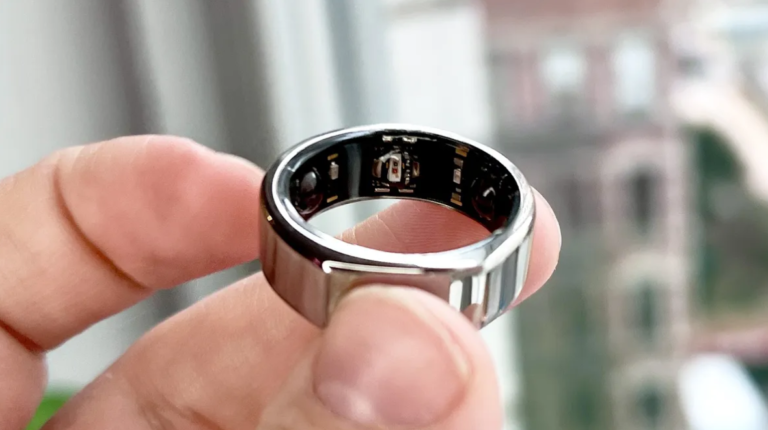
Wearable payment options add another layer of flexibility. Smartwatches from Apple, Samsung, Garmin, and Fitbit increasingly support tap-to-pay directly from the wrist, which is especially convenient during exercise or any activity where carrying a phone is impractical. These wearable wallets typically mirror the cards already loaded onto a paired phone, so setup usually takes only a minute once the phone-based wallet is configured.
Households with multiple family members should also think about how digital wallets handle shared accounts. Some banks support adding the same card to multiple family members’ phones, each generating its own device-specific token, which can simplify shared household expenses without requiring everyone to carry the same physical card. This approach also makes it easier to freeze access for a single device if a phone is lost, without affecting the rest of the family’s payment access.
Ultimately, the right combination depends on lifestyle. A frequent traveler benefits from redundancy across a phone wallet, a wearable, and a backup card. Someone who rarely leaves a familiar neighborhood might comfortably rely on a phone wallet alone. The technology is flexible enough to fit either approach without forcing an all-or-nothing choice.
Cost is rarely a factor in this decision, since digital wallet apps themselves are free to download and use, and there is no subscription fee tied to tapping a phone at checkout. The only expense to weigh is the device itself, and since most people already carry a smartphone for other reasons, the marginal cost of adopting a digital wallet is close to nothing. For a household deciding whether an older phone without NFC support is worth upgrading, the wallet feature alone may not justify a new purchase, but it is a welcome bonus for anyone already planning to upgrade for other reasons, such as a better camera or longer battery life.
A less obvious consideration is how digital wallets interact with budgeting habits. Some people worry that the ease of a tap-to-pay purchase encourages overspending compared to handing over cash, since there is no physical exchange to register the cost. Banking apps linked to a digital wallet typically offer the same spending notifications and categorization tools as a regular card, so pairing a wallet with a habit of reviewing weekly notifications can offset this concern without giving up the convenience of tapping to pay.
Final Thoughts
Digital wallets have moved from a novelty feature to a dependable everyday tool, offering speed at checkout along with security advantages that a traditional card cannot match on its own. Choosing between Apple Pay, Google Pay, and Samsung Pay mostly comes down to which phone you carry, while the underlying protections, tokenization, biometric confirmation, and remote lock capability, remain consistent across platforms.
Setting one up takes only a few minutes, and the payoff shows up in small ways across nearly every errand, from a quick grocery run to a commute on public transit. Keeping a backup physical card on hand remains sensible, but for most daily purchases, a phone tucked in a pocket is now enough.
Frequently Asked Questions
Are digital wallets safer than physical credit cards?
In several respects, yes. Digital wallets use tokenization to hide your real card number from merchants and require biometric or passcode confirmation for each payment, both of which reduce the risk compared to a physical card that anyone holding it can use.
What happens if I lose my phone with a digital wallet set up?
If Find My iPhone or Find My Device is enabled, you can remotely lock or erase the phone, which disables the wallet along with everything else on the device. It is also wise to contact your bank to flag the situation as a precaution.
Do digital wallets work without an internet connection?
Yes, in most cases. The core NFC payment exchange between a phone and a terminal does not require an active internet connection, though the phone still needs to be powered on and unlocked to authorize the transaction.
Can I use a digital wallet if I do not own a smartphone?
No, digital wallets require a compatible smartphone or wearable device, since the payment relies on the device’s secure hardware and NFC chip. A physical contactless card remains the alternative for anyone without a supported device.
Do merchants charge extra for accepting digital wallet payments?
No, merchants generally process a digital wallet payment the same way they process a contactless card payment, with no added fee passed on to the customer for choosing to tap a phone instead of a card.
Which digital wallet should I choose if I switch between Android and iPhone?
Your wallet choice is tied to your phone’s operating system, so Apple Pay works only on iPhone and Google Pay works across Android devices. Switching phones later means re-adding your cards to the new platform’s wallet app.