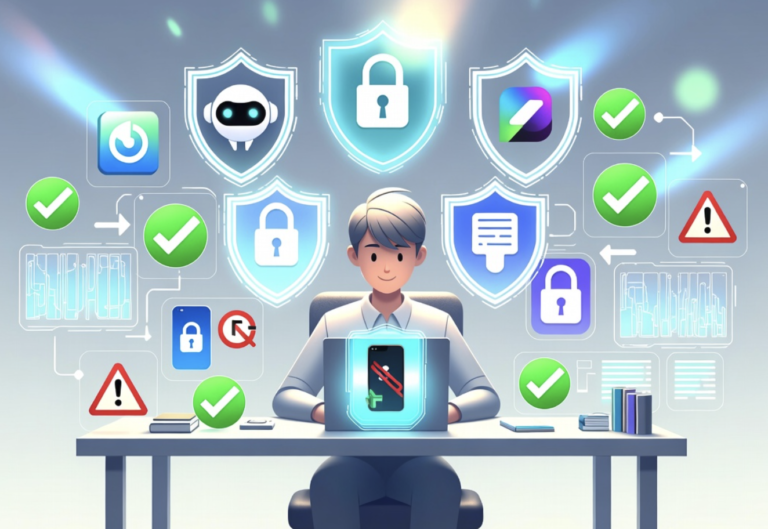
A small black-and-white square has quietly become one of the most common ways to pay for a coffee, split a bill, or send money to a friend. QR code payments work by encoding payment details, a merchant account, an amount, or a payment link, into a scannable image that a phone’s camera reads in an instant.
The format took off because it requires no special hardware beyond a smartphone camera, making it cheap for small merchants to adopt and simple for customers to use without typing in card numbers.
That same simplicity, however, creates an opening for a specific kind of fraud, since a scanned code is only as trustworthy as the source that generated it. This guide covers how QR payments function, how they compare with card and tap-to-pay methods, how to spot a manipulated code, and how to protect accounts tied to this payment method.
Scanning and Processing a Payment Code
A QR payment code typically contains one of two things: a direct link to a payment processor’s page pre-filled with merchant and amount details, or a reference number that a payment app looks up on its own servers to retrieve the transaction information.
When a phone’s camera scans the code, the app either opens a prefilled checkout screen or pulls up the transaction for the user to confirm before authorizing payment. Either way, the money itself moves through the same backend rails used by card and bank transfers, with the QR code serving only as a convenient way to pass along the details.
Static codes, often printed on a sign or sticker at a register, encode a fixed merchant identifier and require the customer to enter the amount manually within the app. Dynamic codes, generated fresh for each transaction at checkout, already include the exact amount, removing a step and reducing the chance of a manual entry error. Dynamic codes are increasingly common at larger retailers precisely because they close that small gap.
- Static merchant codes: Fixed codes often displayed at small businesses, requiring the customer to type in the payment amount.
- Dynamic transaction codes: Generated per purchase with the amount already encoded, reducing manual entry.
- Peer-to-peer payment codes: Used to send money directly between individuals, often displayed within a payment app’s own interface.
- Loyalty and coupon codes: Sometimes bundled alongside payment codes to apply a discount automatically during checkout.
Processing time is typically near-instant, since the transaction travels through the same networks as a card swipe or tap, with the code itself adding only the brief moment it takes a camera to read it.
Behind the scenes, most QR payment systems rely on the same tokenization methods used by other digital wallets, converting raw account details into a one-time or limited-use token before anything is transmitted.
This means the code itself, or the app reading it, rarely exposes a real account number during the transaction, which limits what an intercepted transmission could reveal even in the unlikely event that communication were somehow captured mid-transaction. The security model, in other words, leans more on how the data is structured than on any property of the QR format itself.
Spotting a Manipulated or Fraudulent Code
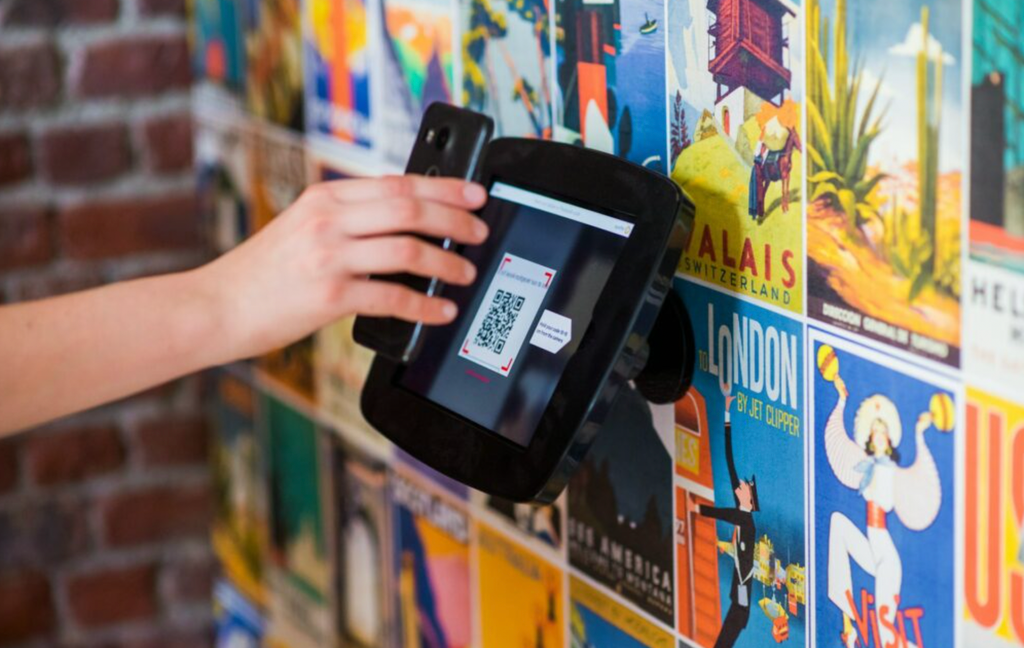
Because a QR code is just an image, nothing visually distinguishes a legitimate merchant code from one that has been altered or replaced. This has led to a specific scam where a fraudulent sticker is placed directly over a real payment code at a parking meter, a restaurant table, or a retail counter, redirecting payment to a scammer’s account instead of the intended merchant.
The visual simplicity that makes QR codes convenient is the same quality that makes tampering hard to detect at a glance. A few warning signs can help a customer catch a manipulated code before scanning it. A sticker that looks slightly raised, misaligned, or different in material from the surrounding sign is worth a second look before trusting it.
Any QR code encountered in an unattended or public location, rather than handed directly by staff or displayed on a store’s own device, deserves more scrutiny than one presented in a controlled, attended setting.
- Raised or peeling stickers: A code that looks physically applied over another surface may have replaced a legitimate one.
- Mismatched branding: A code’s surrounding design that does not match the merchant’s usual signage style is a signal worth pausing on.
- Unattended public locations: Codes found on parking meters, public signage, or unmonitored surfaces carry more risk than those shown directly by staff.
- Links that redirect oddly: A payment app showing a merchant name that does not match the business in front of a customer should prompt an immediate stop before confirming payment.
Most payment apps display the receiving merchant’s name before finalizing a transaction, and checking that name against the real business is one of the simplest and most effective ways to catch a mismatch before money moves.
Businesses themselves bear some responsibility for preventing this kind of tampering, and several retailers have started laminating their payment codes directly onto a counter or sign rather than printing them on a removable sticker, making an unauthorized replacement far more obvious to spot.
Customers who frequent a specific merchant regularly can also build a general sense of what that business’s payment setup normally looks like, which makes any sudden visual change easier to notice than it would be for a first-time visitor unfamiliar with the usual display.
Comparing QR Payments With Card and Tap Methods
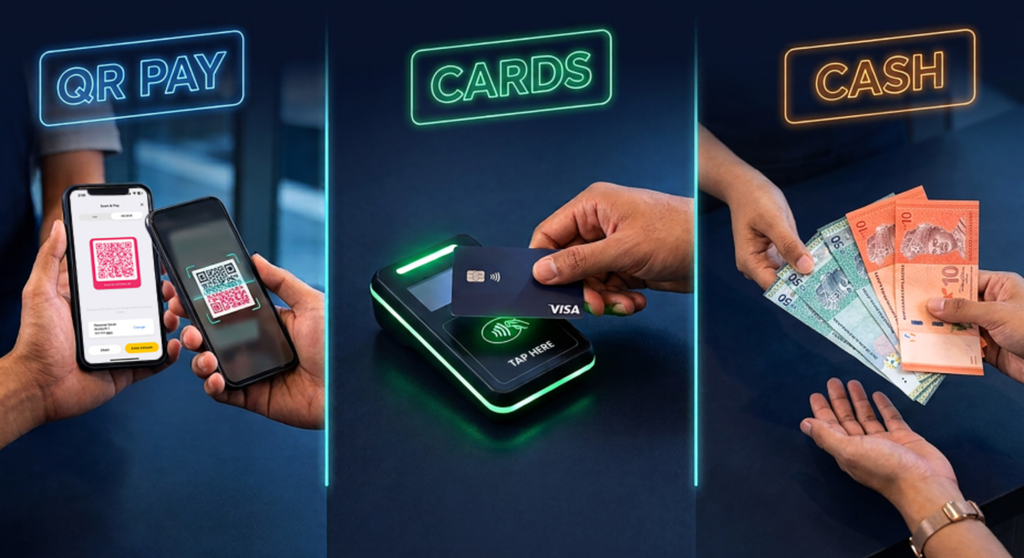
Card payments rely on a physical chip or magnetic strip read by a terminal, while tap-to-pay uses short-range wireless communication between a phone or card and a terminal. QR payments differ by placing the scanning action in the customer’s hands rather than the merchant’s terminal, which is part of why the format spread so quickly among small businesses that cannot afford expensive card terminal hardware.
Fees also differ across these methods in ways that affect why a merchant might prefer one over another. Card networks typically charge processing fees to merchants on every transaction, while some QR-based payment systems offer lower fees, especially appealing to small vendors operating on thin margins.
This fee difference is a major reason QR payments have grown fastest among independent merchants, street vendors, and small retail operations rather than large chains with established card infrastructure.
- Hardware requirements: QR payments need only a printed code and a customer’s phone, while card payments require a merchant-side terminal.
- Processing fees: QR-based systems often carry lower merchant fees compared with traditional card network fees.
- Transaction speed: Tap-to-pay is typically fastest since it requires no camera focus step, with QR codes close behind and card insertion slowest.
- Chargeback protections: Card payments generally offer stronger built-in dispute processes compared with some QR-based payment systems.
For a customer, the practical difference often comes down to app ecosystem rather than any one method being clearly superior, since many payment apps now support all three formats within a single wallet.
Adoption patterns also differ by region in ways worth noting for anyone traveling internationally. In several markets, QR-based payment systems reached widespread daily use well before tap-to-pay infrastructure became common, making a QR-capable payment app more broadly useful than a card with tap functionality in those specific places.
Checking which payment method dominates at a travel destination before departure avoids arriving with the wrong primary payment tool set up on a phone, and setting up any needed app before a trip begins, rather than attempting to register for an unfamiliar service at an airport kiosk, saves a frustrating first day in a new country.
Assessing Risk Before Saving Payment Information
Linking a bank account or card directly to a payment app used for QR transactions introduces the same risk considerations as any stored payment method, with an added layer tied specifically to how that app authenticates a scan before authorizing a transfer.
An app that requires biometric confirmation or a PIN before every payment adds friction but substantially reduces the damage from a lost or unlocked phone falling into the wrong hands.
Transaction limits set within a payment app provide another layer of protection, capping how much a single scan can transfer even if a fraudulent code somehow gets confirmed.
Reviewing and adjusting these limits to match realistic daily spending, rather than leaving a default maximum in place, reduces the potential damage from any single mistaken scan.
- Biometric or PIN confirmation: Require a fingerprint, face scan, or PIN before any payment is authorized through the app.
- Transaction limit settings: Cap the maximum amount a single scan can transfer to reduce exposure from a mistaken confirmation.
- Linked account review: Periodically check which bank accounts or cards remain connected to a payment app and remove unused ones.
- Notification settings: Enable instant alerts for every transaction so an unauthorized payment is caught within minutes rather than at the end of a billing cycle.
Keeping a separate, lower-balance account linked specifically to a QR payment app, rather than connecting a primary checking account directly, is a practical step some users take to limit exposure without giving up the convenience of the format entirely.
Protecting Accounts Linked to Payment Apps
Beyond the moment of scanning a code, the broader account security of a payment app deserves its own attention, since a compromised login can expose stored payment methods regardless of how carefully a user scans codes in person.
A strong, unique password for the payment app, separate from passwords used elsewhere, reduces the risk that a breach at an unrelated service exposes the payment account as well.
Two-factor authentication adds a critical second barrier, requiring a code sent to a separate device or generated by an authentication app before a login succeeds from an unrecognized device. Many payment apps now make this feature prominent during setup, recognizing that account takeover, rather than code tampering, represents the larger share of financial losses tied to these platforms.
- Unique account password: Avoid reusing a password from another account for a payment app’s login.
- Two-factor authentication: Require a secondary code for logins from new or unrecognized devices.
- Regular login activity review: Check the app’s account activity log periodically for sign-ins from unfamiliar locations or devices.
- Prompt reporting of lost devices: Contact the payment provider immediately if a phone with an active payment app is lost or stolen, so the account can be locked remotely.
Combining these account-level protections with scan-time caution covers both ends of the risk, since fraud tied to QR payments typically originates either from a manipulated code at the point of scanning or from a compromised account rather than from any flaw in the underlying payment technology itself.
Reviewing an app’s saved payment methods periodically, removing an expired card or an account no longer in use, further narrows the exposure if the app itself were ever compromised, since fewer linked instruments means fewer avenues for unauthorized charges.
Some apps also allow generating a disposable virtual card number specifically for QR-based transactions, isolating this payment path from a primary bank account entirely while still offering the same scan-and-go convenience shoppers have come to expect.
Avoiding Common Mistakes When Paying by Code
Beyond the risk of a tampered sticker, a handful of everyday habits make QR payments less safe than they need to be regardless of whether the code itself is legitimate. Scanning a code quickly without reading the confirmation screen that follows is the most common misstep, since that screen is precisely where a mismatched merchant name or an unexpected amount would show up before money moves.
Treating that confirmation step as optional defeats one of the built-in safeguards most payment apps already provide. Leaving a payment app open and unlocked on a phone handed to someone else, even briefly for a legitimate reason like splitting a bill, creates an opening most users would not consider in other contexts.
Locking a payment app behind its own biometric or PIN check, separate from the phone’s general lock screen, prevents this kind of casual, low-effort misuse even when the phone itself is unlocked for another purpose.
- Skipping the confirmation screen: Always read the merchant name and amount shown before authorizing, rather than approving on reflex.
- Leaving apps unlocked and unattended: A payment app left open on a handed-over phone invites casual misuse even without malicious intent.
- Reusing a personal QR code publicly: Posting a personal payment code online exposes it to anyone who might attempt unwanted transactions.
- Ignoring app update prompts: Payment apps frequently patch security gaps, and delaying updates leaves known vulnerabilities unaddressed longer than necessary.
Building these small habits into routine use costs almost no extra time at checkout but closes most of the avoidable gaps that turn an otherwise secure payment format into an easier target.
Final Thoughts
QR code payments have earned their popularity by removing cost and complexity barriers that once kept digital payments out of reach for small merchants and casual transactions alike. The convenience is backed by the same secure payment rails used for cards, which means the format itself is not inherently risky.
The real caution points sit at the edges: a tampered physical code, an unsecured payment app account, or a careless scan in an unattended location. Staying alert to those specific risks, rather than avoiding the format altogether, lets a person use QR payments confidently while keeping their accounts protected.
A small amount of awareness at the register, paired with a few minutes spent locking down an account’s settings, covers nearly every scenario where this payment format could otherwise go wrong.
As adoption continues to grow across both small merchants and large chains, that same basic combination of scan-time attention and account-level protection will likely remain the standard advice for keeping these transactions safe for years to come.
Frequently Asked Questions
Are QR code payments as safe as tapping a card?
Both methods route transactions through similar backend payment networks, so neither is inherently less safe at a technical level. The practical risk with QR codes comes from the possibility of a tampered physical code, a vulnerability tap-to-pay does not share in the same way.
Can a QR code payment be reversed if sent by mistake?
This depends on the payment app and whether the transaction was a merchant purchase or a direct peer-to-peer transfer. Merchant transactions often follow standard dispute processes, while instant peer-to-peer transfers are frequently designed to be irreversible once confirmed, so confirming recipient details before sending matters.
Do QR payments work without an internet connection?
No, both scanning and processing require an active data or Wi-Fi connection, since the payment app needs to communicate with a server to verify and complete the transaction, even though the code itself can be read offline by the camera.
Why do some businesses prefer QR payments over card terminals?
Lower merchant fees and minimal hardware costs make QR payments appealing to small businesses and independent vendors who cannot justify the expense of a full card terminal setup, while still offering customers a fast, contactless way to pay.
Can a QR code transmit a virus or malware to a phone?
A standard payment QR code only encodes a link or reference number, which on its own cannot install software. Risk arises only if that link leads to a malicious website designed to trick a user into downloading something separately, making the destination link, not the code format, the real concern.
Is it safe to screenshot and share a personal payment QR code?
Sharing a personal payment code with a trusted recipient for a direct transfer is generally fine, but posting it publicly, such as on social media, risks exposing it to anyone who might attempt to send unwanted charges or exploit linked account details, depending on the app’s specific permissions.