A smart plug is one of the simplest entry points into home automation, turning any ordinary lamp, fan, or appliance into a device that can be scheduled, controlled remotely, or voice-activated without replacing the appliance itself or rewiring a wall outlet.
Rather than committing to a full smart home overhaul, a household can plug one of these devices into an existing outlet and immediately gain control over something that previously had only a manual switch. The appeal lies in that low barrier to entry: a smart plug costs little, installs in seconds, and works with appliances that will never themselves be labeled “smart.”
This guide covers how to automate a home using smart plugs, how to choose between the available types, how to build schedules and routines, and how to avoid the common mistakes that undercut the convenience these devices promise.
Automating Everyday Appliances
The most immediate use for a smart plug is converting a dumb appliance into one that follows a schedule rather than needing a manual switch flip. A coffee maker set to start brewing ten minutes before an alarm, a lamp that turns on automatically at sunset, or a space heater that shuts off automatically after a set number of hours all become possible by plugging the appliance into a smart outlet rather than directly into the wall.
None of this requires the appliance itself to have any smart features, since the plug handles the scheduling and connectivity entirely on its own. Seasonal automation is another common use, especially for holiday lighting that used to require manually plugging and unplugging strings of lights each evening.
A smart plug set to a sunset-based schedule adjusts automatically as days get shorter or longer throughout a season, removing the need to update a fixed time setting every few weeks by hand.
- Coffee makers and kettles: Scheduled to start brewing before a wake-up time without needing a built-in timer.
- Holiday and accent lighting: Automated on a sunset-to-sunrise schedule that adjusts with the season.
- Space heaters and fans: Set to shut off automatically after a fixed duration to reduce energy waste or fire risk from unattended use.
- Aquarium or terrarium equipment: Scheduled lighting and filtration cycles for habitats that need consistent timing.
Because the appliance itself never changes, this approach also makes it easy to reverse: unplugging the smart plug and plugging the appliance directly into the wall restores normal manual operation instantly, with no lingering configuration to undo.
Renters especially benefit from this reversibility, since smart plugs require no modification to a building’s existing wiring or fixtures, unlike a smart switch installed in place of a wall switch, which typically involves working with a home’s electrical wiring directly.
A smart plug can move from one apartment to the next with its owner, packed in a box like any other small appliance, which makes it a practical entry point for anyone unsure whether a landlord would permit a more permanent smart home installation.
Choosing Between Plug Types
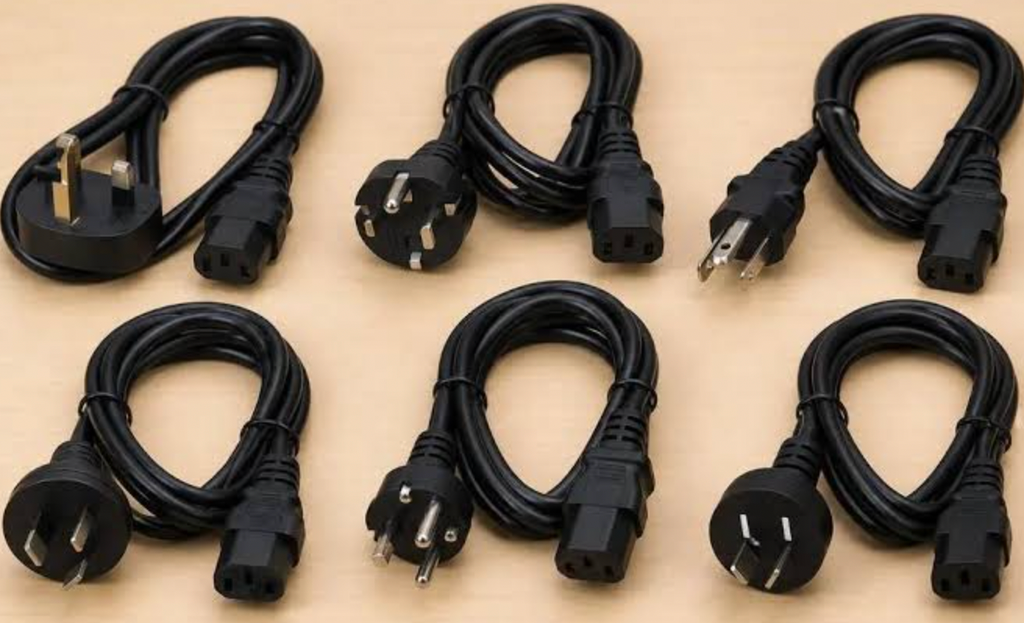
Smart plugs come in a few distinct categories, and picking the right one depends mostly on what a household plans to automate rather than any single plug being universally better. Basic on/off plugs handle the majority of use cases, simply toggling power to whatever is plugged in without measuring anything beyond that.
Energy-monitoring plugs add a layer of detail, tracking how much electricity a connected appliance draws over time, useful for identifying which devices contribute most to a monthly energy bill.
Outdoor-rated plugs matter specifically for anything used outside, since a standard indoor plug is not built to handle rain, temperature swings, or direct sun exposure the way an outdoor-rated unit is. Attempting to use an indoor plug for exterior lighting or equipment risks both device failure and a safety hazard that an outdoor-rated design is specifically built to avoid.
- Basic on/off plugs: The simplest and most affordable option, suited to appliances that only need remote or scheduled power control.
- Energy-monitoring plugs: Track electricity usage per device, useful for identifying energy costs tied to specific appliances.
- Outdoor-rated plugs: Built to withstand weather exposure, required for anything plugged in outside a home.
- Plugs with physical buttons: Include a manual override button on the device itself, useful when a household member without the controlling app still needs to operate it.
Compatibility with an existing smart home ecosystem also factors into this choice, since a plug built around one voice assistant platform may integrate less smoothly with a household already standardized on a different one, making it worth checking supported platforms before buying.
Multi-outlet smart power strips extend this same basic concept to several devices at once, controlling multiple plugs from a single unit rather than requiring one standalone plug per appliance.
This option suits a cluster of devices in one location, such as an entertainment center with a television, a streaming box, and a sound system all needing independent or grouped control, without the cost and clutter of several individual plugs crowded around the same outlet.
Building Schedules and Routines
Beyond simple on/off timers, most smart plug apps support more layered automation through routines that combine multiple conditions. A routine might turn on a porch light only if it is both after sunset and a door sensor detects someone has arrived home, combining a time-based trigger with an event-based one for a more responsive result than a fixed schedule alone provides.
These routines typically live within the same app used to control the plug directly, making setup accessible without needing any separate automation platform. Grouping multiple plugs together under one routine name simplifies control further, letting a single voice command or app tap control several devices at once rather than adjusting each individually.
A “good night” routine, for example, might turn off several lamps, a television, and a space heater simultaneously, consolidating what would otherwise be several separate actions into one command.
- Sunset and sunrise triggers: Automatically adjust lighting schedules based on the real time of sunset rather than a fixed clock time.
- Combined condition routines: Trigger an action only when multiple conditions are met, such as a specific time and a detected motion event.
- Grouped device control: Bundle several plugs under one named routine for simultaneous control with a single command.
- Away mode automation: Randomize on/off timing for lights while a household is traveling, simulating normal activity patterns.
Testing a new routine for a few days before fully relying on it catches unexpected behavior early, since a slightly mistimed trigger or an overlapping schedule can produce results different from what was originally intended.
Voice assistant integration extends these routines beyond the app itself, letting a spoken command trigger the same grouped actions a tap would, which is especially convenient for routines used at predictable moments throughout a day, a morning command that starts a coffee maker and turns on kitchen lighting simultaneously, for instance.
Setting up a short, memorable phrase for each routine, rather than relying on a generic default name, makes voice control feel natural rather than like reciting an awkward command each time.
Establishing a Reliable Smart Home Foundation
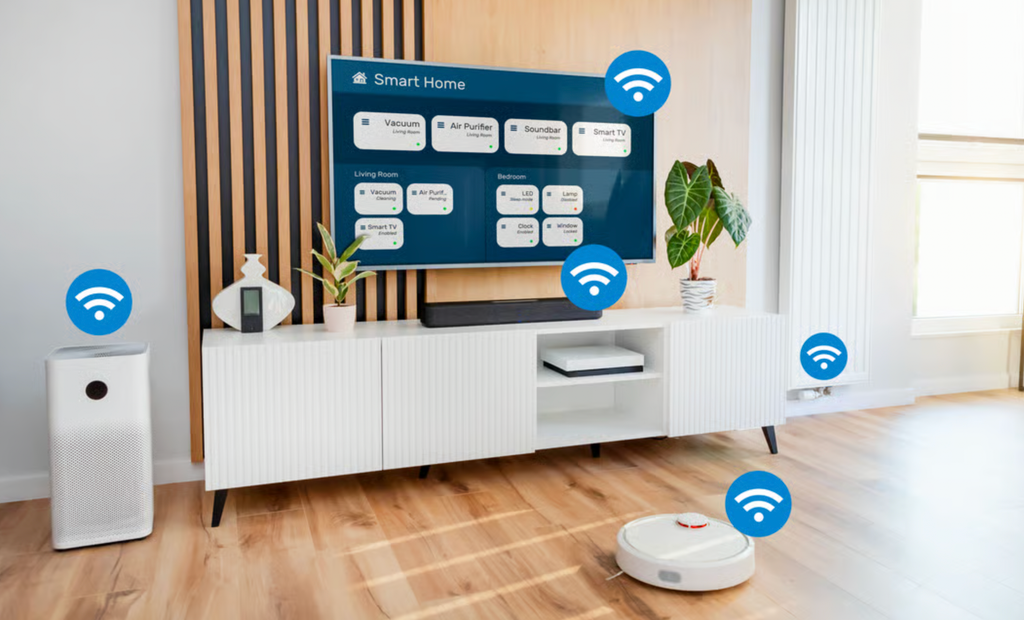
Smart plugs rarely operate in isolation for long; most households that start with one or two quickly add more as the convenience becomes apparent, which makes the underlying network foundation worth getting right from the start.
A stable home Wi-Fi network capable of handling several always-connected devices prevents the lag and dropped commands that frustrate users of a growing smart home setup. Placing a router or mesh node centrally, rather than tucked in a far corner, supports more reliable connections for plugs spread throughout a home.
Naming conventions also matter more than they might initially seem to, since a household with ten or more smart plugs named generically becomes difficult to manage through a voice assistant that needs a clear, specific command to control the right device. Establishing a consistent naming pattern early, by room and device type, saves confusion as a setup grows larger over time.
- Stable network infrastructure: A reliable router or mesh system supports multiple always-connected smart plugs without lag or dropped commands.
- Consistent device naming: Clear, room-based names prevent confusion when controlling devices by voice.
- Firmware update habits: Keeping each plug’s software current reduces security vulnerabilities and improves reliability over time.
- Centralized app or hub management: Consolidating multiple plug brands under one control app, where supported, simplifies daily use.
Starting with a small, well-organized setup and expanding deliberately tends to produce a more reliable smart home than adding devices haphazardly without a plan for how they will all work together.
A dedicated network band or section set aside specifically for smart home devices, available on many current routers, can further improve reliability by separating the steady, low-bandwidth traffic from plugs and sensors from the heavier demands of streaming video or large file transfers happening elsewhere in the household.
This separation prevents a burst of activity on one part of the network from causing lag or dropped commands on the other, a detail that becomes more relevant as a household’s total device count grows into the dozens.
Setting this up usually takes only a few minutes within a router’s own settings panel, and most current routers include a straightforward option for creating this kind of dedicated network specifically for smart home devices without needing any separate hardware purchase.
Labeling this network clearly within the router’s own settings, something like a dedicated name for smart home traffic, also makes it easier to troubleshoot later, since a technician or a household member reviewing connected devices can immediately tell which network a given plug or sensor belongs to without guessing.
Avoiding Common Setup Mistakes
A handful of recurring mistakes account for most of the frustration households report with smart plugs. Plugging a high-wattage appliance, such as a space heater or a hair dryer, into a basic plug not rated for that load is one of the more serious errors, since exceeding a plug’s rated capacity creates a real fire risk rather than just a performance problem.
Checking a plug’s maximum wattage rating against an appliance’s power draw before connecting them prevents this specific and avoidable hazard. Forgetting that a smart plug only controls power, not the appliance’s own internal settings, trips up new users as well.
A fan plugged into a smart outlet will lose power entirely when the plug switches off, but if the fan’s own switch was left in the off position, restoring power through the smart plug will not turn the fan back on, since the appliance itself still needs its own switch engaged.
- Overloading plug wattage ratings: Exceeding a plug’s rated capacity with a high-draw appliance creates a real safety hazard.
- Leaving appliance switches off: A smart plug restores power but cannot override an appliance’s own physical switch left in the off position.
- Weak Wi-Fi signal at install location: Placing a plug too far from a router causes unreliable connectivity and delayed command response.
- Skipping firmware updates: Outdated plug software can introduce both security gaps and reliability issues over time.
Reading the specific wattage and compatibility details printed on both the plug and the appliance before connecting them avoids nearly every common mistake households encounter when setting up this kind of automation.
Scheduling Routine Maintenance Checks for Smart Plugs
Smart plugs rarely demand attention once installed, which is exactly why they tend to get forgotten until something stops working as expected. Building a light maintenance routine, checked every few months rather than only when a problem appears, keeps a growing collection of plugs running reliably and closes small security gaps before they become a real concern.
This matters more as a household adds plugs over time, since a dozen devices installed across two or three years inevitably include a few running outdated software without anyone noticing.
A short quarterly check covers most of what matters: confirming each plug still responds promptly to commands, verifying firmware is current across the whole set rather than just recently added devices, and reviewing which routines are still in active use versus ones left over from a since-changed habit. Removing unused routines keeps an app’s interface manageable and reduces the chance of an old automation triggering unexpectedly at an inconvenient time.
- Quarterly responsiveness check: Test a sample of plugs for command delay or missed triggers, which often signals a weak network connection worth investigating.
- Firmware update sweep: Confirm every connected plug, not just recently purchased ones, is running current software.
- Routine relevance review: Delete automations tied to a schedule or habit that no longer applies to the household.
- Physical connection inspection: Periodically check that plugs show no signs of heat discoloration or looseness at the outlet, especially for higher-wattage appliances.
Treating this as a recurring calendar reminder, rather than something addressed only after a plug stops responding, keeps a smart home setup dependable well beyond its first few months of use.
Final Thoughts
Smart plugs offer one of the most accessible paths into home automation, letting a household control existing appliances without replacing a single one of them. Choosing the right plug type, building thoughtful routines, and maintaining a stable network foundation determine whether the experience feels truly useful or just adds another app to manage.
Avoiding the handful of common mistakes around wattage ratings and appliance switches keeps the setup both safe and reliable. Starting small and expanding as the benefits become clear is the most practical way to bring this kind of automation into a home without overwhelming it. For most households, the first smart plug pays for itself in convenience within the first few weeks, which is usually enough to justify adding a second and a third as new use cases become apparent around the house.
Treating that first plug as a low-cost trial, rather than a full commitment to one ecosystem, gives a household room to learn what matters most to its own routines before investing further, and that gradual, experience-driven approach tends to produce a setup better suited to the people living in the home day to day than one planned entirely in advance, with each new addition shaped by a real need rather than a guess made before the first plug was ever plugged in.
Frequently Asked Questions
Do smart plugs work without a home Wi-Fi network?
Most smart plugs require a Wi-Fi connection to enable remote control, scheduling, and voice assistant integration. A small number of models use a different wireless protocol that needs a separate hub, but the vast majority sold for home use rely directly on an existing Wi-Fi network.
Can a smart plug be used safely with a space heater?
Only if the plug is rated for the heater’s wattage draw, which is often higher than many basic smart plugs support. Checking the specific wattage rating on both the plug and the heater before connecting them is essential to avoid a fire risk.
Do smart plugs increase a home’s electricity bill?
The plug itself draws a minimal amount of standby power, far less than most connected appliances use during operation. Energy-monitoring plugs can show whether a specific connected device is contributing more to a bill than expected.
Is it necessary to use plugs from the same brand throughout a home?
Not always, though sticking with one brand or ecosystem generally simplifies app management and routine building. Mixing brands is possible but may require managing more than one app unless all chosen plugs support a shared smart home platform.
Can smart plugs be controlled when away from home?
Yes, as long as the plug and its connected app have internet access, most smart plugs can be controlled remotely from anywhere, which is part of what makes scheduling and emergency shutoffs useful while traveling.
What happens to a smart plug during a power outage?
Most smart plugs return to their last set state or a default state once power is restored, though scheduled automations tied to that specific moment may be missed if the home’s internet or router was also down during the outage.